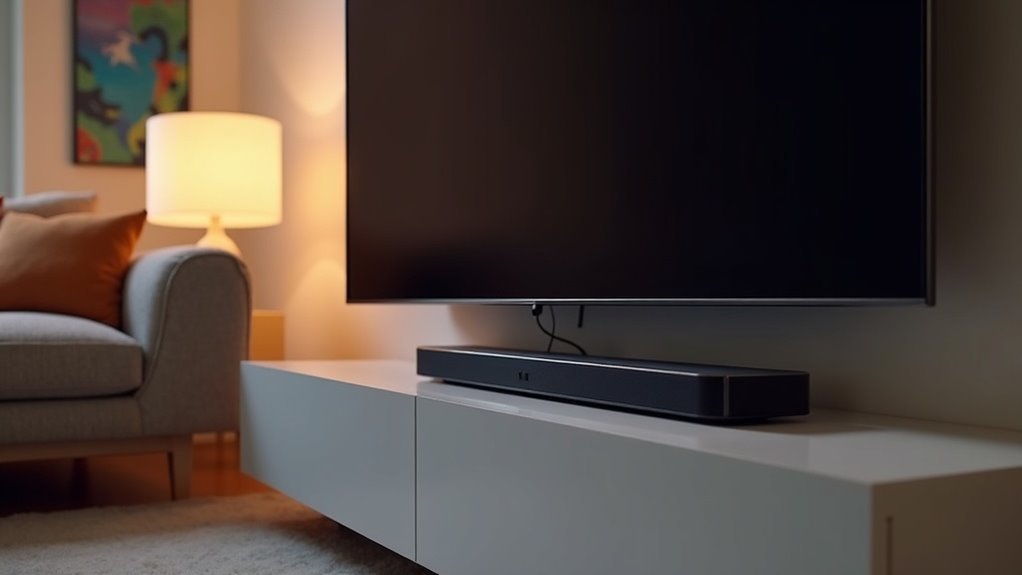
Yes, soundbars are generally compatible with Apple TV, especially when using HDMI-ARC, which ensures optimal audio quality and a straightforward setup. Connecting via HDMI is crucial for enabling features like Dolby Atmos, which can significantly enhance your cinematic experience. Many modern soundbars support this connection, making integration seamless. If you encounter any issues, troubleshooting is typically straightforward. Additionally, there are specific soundbars and setup tips available that can further elevate your audio experience.
Key Takeaways
- Most soundbars are compatible with Apple TV, particularly those that support HDMI-ARC, which optimizes audio quality and functionality.
- To utilize Dolby Atmos features on soundbars while using Apple TV, direct HDMI connections are essential.
- Wireless streaming via AirPlay facilitates seamless integration and playback from Apple TV, eliminating the need for physical connections.
- For optimal audio performance, make sure to select the soundbar as the audio output in the Apple TV settings.
- Popular soundbars like the Sonos Arc and Vizio V-Series are recognized for their excellent compatibility and ability to enhance the audio experience with Apple TV.
Understanding Soundbar Compatibility With Apple TV
When connecting a soundbar to your Apple TV, it’s essential to explore the various options to achieve optimal audio performance. The main connection methods include HDMI-ARC, optical audio, and Bluetooth.
Among these, HDMI-ARC is the preferred choice due to its superior audio quality and synchronization capabilities. If you wish to enjoy Dolby Atmos sound, ensure your soundbar is compatible and connected directly to your Apple TV via HDMI.
It’s important to note that Apple TV will default to its built-in speakers, so you’ll need to manually select your soundbar in the settings. Since compatibility can differ across soundbar models, always verify that your specific soundbar features align with Apple TV requirements for an enhanced audio experience.
Importance of HDMI-ARC for Optimal Performance
HDMI-ARC plays an essential role in enhancing your audio experience with soundbars by simplifying the connection between your Apple TV and your audio system. With HDMI-ARC, you can enjoy seamless audio transmission, advanced formats like Dolby Atmos, and control your soundbar’s volume directly from your TV remote.
| Benefit | Description |
|---|---|
| Simplified Setup | One HDMI cable for audio return eliminates clutter. |
| Volume Control | Adjust soundbar volume using your TV remote for ultimate convenience. |
| Audio Formats | Supports high-quality audio formats like Dolby Atmos for an immersive experience. |
| Synchronization | Ensures that video and audio signals are perfectly aligned for optimal performance. |
| Modern Compatibility | Most soundbars and TVs now support HDMI-ARC for hassle-free connectivity. |
Setting up Dolby Atmos With Apple TV
To set up Dolby Atmos with your soundbar and Apple TV, start by connecting the Apple TV directly to your compatible soundbar via HDMI.
Once connected, ensure that Dolby Atmos is enabled in the settings of both your Apple TV and soundbar.
While streaming, look for the Dolby Atmos icon to confirm that it’s active.
If you encounter any issues, double-check your connections and verify that the content you’re watching supports Dolby Atmos for the best audio experience.
Connection Requirements Explained
Setting up Dolby Atmos with your Apple TV 4K requires a direct connection to a compatible soundbar or AV receiver via HDMI, as many televisions don’t support Dolby Atmos pass-through. Ensure that your soundbar is compatible with both Dolby Atmos and high-quality video formats for optimal performance.
| Step | Action | Notes |
|---|---|---|
| 1 | Connect | Use HDMI for a direct connection to your soundbar. |
| 2 | Enable | Navigate to Settings > Video and Audio on your Apple TV. |
| 3 | Quick Start | Activate this feature under Settings > Apps. |
| 4 | Check Content | Look for the Dolby Atmos icon on your content. |
Troubleshooting Setup Issues
Even with the right connections established for Dolby Atmos, you might still encounter some setup issues with your soundbar.
First, ensure your Apple TV is connected directly to your soundbar via HDMI, as most TVs can’t pass through Dolby Atmos. Check that your soundbar supports both Dolby Atmos and high-quality video formats.
In your Apple TV settings, navigate to Video and Audio to confirm Dolby Atmos is enabled. Additionally, verify that Quick Start is activated in the iTunes Movies and TV Shows section.
If problems persist, double-check all connections, look for software updates, and confirm that the content you’re trying to play supports Dolby Atmos.
Troubleshooting Common Audio Issues
While enjoying your favorite shows with your soundbar connected to Apple TV, you might encounter some audio issues. To troubleshoot these problems, consider the following steps:
- Ensure your soundbar is connected via HDMI-ARC for optimal audio performance.
- Access the Apple TV settings to verify that the soundbar is selected as the audio output instead of “TV Speakers.”
- Regularly check for software updates on your Apple TV to resolve any bugs that may affect connectivity.
- If you’re experiencing audio delays or sync issues, adjust the audio settings on both your soundbar and Apple TV.
- If problems continue, try restarting both your Apple TV and soundbar to refresh the connection.
Recommended Soundbars for Apple TV
When selecting a soundbar for your Apple TV, consider top choices such as the Sonos Arc and Samsung HW-Q990F, both known for their outstanding audio performance.
If you’re looking for budget-friendly alternatives, options like the Polk Signa S4 and Samsung HW-S60B offer impressive sound quality without straining your wallet.
Assessing your specific needs will guide you in choosing the ideal soundbar to elevate your audio experience while watching your favorite shows and movies.
Top Soundbar Picks
Finding the right soundbar for your Apple TV can greatly enhance your viewing experience, and several standout options are available.
Consider these top picks for impressive sound and seamless compatibility:
- Vizio V-Series 5.1 Home Theater Sound Bar: Offers excellent HDMI-ARC support for easy connection.
- Samsung HW-S60B: Features effortless integration and delivers rich, dynamic sound.
- Sonos Beam: Compatible with AirPlay 2, providing superb audio quality for all your media.
- Sonos Arc: Supports Dolby Atmos, delivering an immersive surround sound experience.
- Polk Signa S4: A budget-friendly option that includes Dolby Atmos features for enhanced audio.
These soundbars ensure exceptional audio that perfectly complements your Apple TV, creating a truly captivating viewing experience.
Budget-Friendly Options
If you’re looking for budget-friendly soundbars to enhance your Apple TV experience, there are several standout options that deliver excellent audio without straining your wallet.
The Vizio V-Series 5.1 Home Theater Sound Bar provides a great balance of features for under $350.
Another fantastic choice is the Sonos Beam, renowned for its impressive sound quality and seamless integration with Apple TV.
The Samsung HW-S60B also offers reliable audio performance at a competitive price point.
Lastly, the Polk Signa S4, available for $349, features Dolby Atmos for an immersive audio experience.
These budget-friendly soundbars ensure you can enjoy high-quality sound while binge-watching your favorite shows.
User Experiences and Feedback on Soundbar Integration
Many users appreciate the enhanced audio experience that soundbars can deliver when paired with their Apple TV, but several challenges have surfaced regarding compatibility and integration.
- Soundbars often default to “TV Speakers” instead of being properly recognized.
- Audio output problems emerged following the software update on November 5, 2020.
- Users frequently need to make adjustments as Apple TV defaults to AirPlay.
- There are concerns about audio quality when using AirPlay compared to direct connections.
- A call for improved sound device management options has been expressed by users.
These challenges underscore a pressing need for enhanced support and functionality for soundbars, as users strive for a more seamless experience with their Apple TV.
Enhancing Your Audio Experience With Quality Soundbars
To truly elevate your audio experience with a quality soundbar, especially when using Apple TV, investing in the right model can make all the difference.
Many soundbars support HDMI-ARC, ensuring seamless audio transmission and control. Look for models that feature Dolby Atmos technology, as they significantly enhance sound clarity and immersion for both movies and music.
Additionally, soundbars equipped with AirPlay compatibility allow for wireless streaming from your Apple TV, offering flexibility without compromising on audio quality. By connecting directly via HDMI, you can bypass inferior TV speakers, resulting in superior audio output.
Some soundbars are specifically designed to integrate seamlessly with Apple’s ecosystem, ensuring compatibility and optimal performance, which ultimately makes your viewing experience truly enjoyable.







