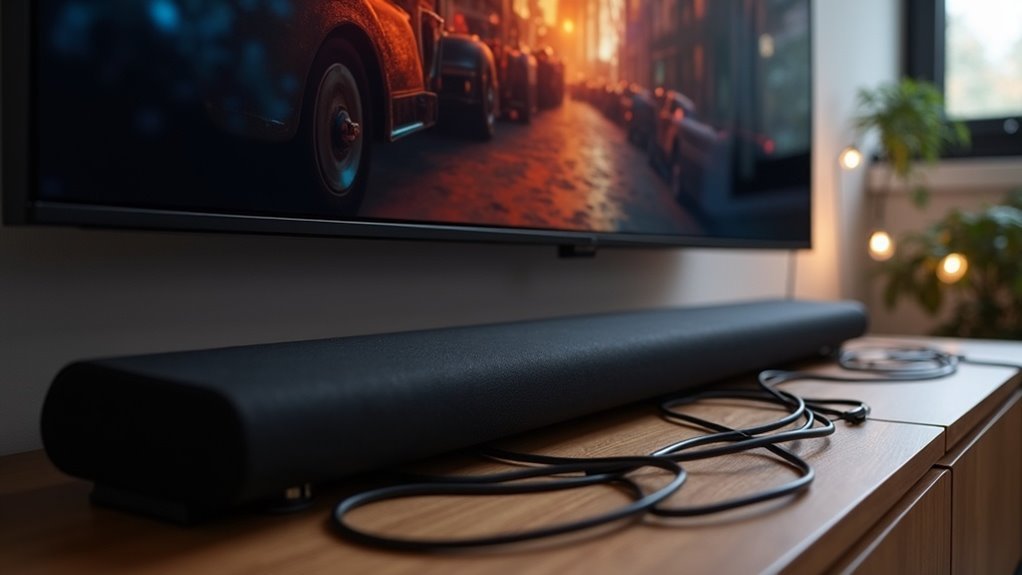
Yes, a soundbar can function without HDMI ARC by utilizing alternative connections such as optical cables, RCA, or 3.5mm analog connections. These options deliver clear audio quality and are typically straightforward to set up. Just ensure you select the correct input on your soundbar and adjust your TV’s audio settings to redirect the sound output. If you’re looking to optimize your sound experience, there are additional tips and techniques available to enhance your soundbar setup.
Key Takeaways
- Yes, a soundbar can function without ARC by utilizing alternative connections such as optical audio or RCA cables.
- Optical connections deliver clear digital sound quality and are a highly recommended option for connecting soundbars.
- Make sure the soundbar is set to the correct input source to ensure proper audio output.
- Adjust your TV’s audio settings to disable the built-in speakers and direct sound to the soundbar.
- Using high-quality cables and verifying all connections can improve sound performance and prevent audio issues.
Understanding Audio Return Channel (ARC)
When you connect a soundbar to your TV, understanding the Audio Return Channel (ARC) is essential for optimizing your audio experience.
ARC, introduced with HDMI version 1.4, enables audio signals to travel both ways over a single HDMI cable, reducing cable clutter. It supports various audio formats, including PCM, Dolby Digital, and DTS, ensuring high-quality sound.
To take full advantage of your soundbar’s capabilities, both your TV and soundbar must have HDMI ARC ports, and you may need to enable HDMI-CEC settings in your TV menu.
If your TV lacks ARC support, alternative audio connections like optical or analog won’t provide the same convenience or functionality.
For soundbar enthusiasts, leveraging ARC can significantly enhance your home audio setup.
Benefits of Using ARC With a Soundbar
Using HDMI ARC with your soundbar simplifies cable management by requiring only one cable for both audio and control functions.
You’ll enjoy enhanced audio quality, as ARC supports high-bandwidth sound formats that elevate your soundbar experience.
Plus, switching between audio sources becomes effortless, allowing for seamless changes without extra remote juggling, making it ideal for enjoying your favorite music, movies, and games.
Simplified Cable Management
By eliminating the need for multiple cables, HDMI ARC greatly simplifies cable management for your soundbar setup. You can connect your TV and soundbar using a single HDMI cable, reducing clutter and making your entertainment space more organized.
With HDMI ARC, you also gain the convenience of controlling both your TV and soundbar with one remote, streamlining your audio settings. This not only enhances your viewing experience but also simplifies the initial setup process.
Say goodbye to tangled wires and complicated configurations—enjoy a clean, efficient connection that allows for both audio return and video transmission. Experience the benefits of a tidy, easy-to-manage soundbar installation.
Enhanced Audio Quality
While many users appreciate the convenience of HDMI ARC, its true value shines through in the enhanced audio quality it delivers for soundbars.
By connecting your soundbar and TV with HDMI ARC, you gain access to superior sound through higher audio bandwidth. This connection supports surround sound formats like Dolby Digital and DTS, elevating your audio experience during movies and gaming.
ARC also minimizes audio latency, ensuring that sound syncs perfectly with the visuals, which is essential for an immersive experience.
Additionally, you can enjoy audio output from built-in TV apps directly through your soundbar, streamlining your setup while maximizing performance and clarity.
Alternative Connection Methods for Soundbars
If your soundbar doesn’t support ARC, you can still connect it using methods like optical audio connections or RCA to AUX connections.
An optical cable guarantees clear digital sound quality, while RCA jacks allow you to link your TV’s audio output to the soundbar.
Just remember to select the correct input on your soundbar to direct the audio properly for an optimal listening experience.
Optical Audio Connection
For optimal sound quality when connecting your soundbar to a TV that lacks HDMI ARC, using an optical audio cable is a straightforward solution. This method ensures high-quality digital audio transmission. To set it up, simply connect a Toslink cable from your TV’s optical output to the optical input on your soundbar. Don’t forget to select the appropriate input source on your soundbar to achieve the best performance.
| Connection Method | Equipment Needed | Sound Quality |
|---|---|---|
| Optical Audio | Toslink Cable | High Quality |
| Digital Coaxial | Converter + Cable | Good Quality |
| Auxiliary | RCA to 3.5mm Cable | Variable Quality |
RCA to AUX Connection
When connecting a soundbar to a TV that doesn’t have HDMI ARC, using an RCA to AUX connection is a practical alternative.
To set this up, you’ll need an RCA-to-3.5mm stereo cable. Begin by connecting the RCA plugs to the TV’s audio output and then attach the 3.5mm end to the AUX input on the soundbar. Ensure that the soundbar is set to AUX input mode to receive audio.
This method is particularly beneficial for older TVs that lack HDMI ARC or optical output. However, it’s important to note that the RCA to AUX connection may not provide the same sound quality as digital options.
Nevertheless, it significantly enhances your TV’s audio experience, making it a worthwhile solution for soundbar setups.
Setting Up a Soundbar Without ARC
Setting up a soundbar without ARC is straightforward and can be accomplished using alternative audio connections.
To connect the soundbar, you can utilize an optical cable or analog audio cables such as RCA or 3.5mm. Ensure your TV and soundbar are properly linked, and select the correct input on the soundbar remote.
You may need to adjust your TV audio settings by disabling the built-in speakers to direct sound output to the soundbar.
If your TV lacks HDMI ARC, consider using a digital coax output with an external converter. This method allows for high-quality audio playback and confirms compatibility with older TV models, enhancing your overall sound experience.
Troubleshooting Common Soundbar Connection Issues
Troubleshooting soundbar connection issues can be frustrating, but identifying the problem is often a matter of checking a few key settings.
First, use the soundbar’s remote to confirm it’s set to the correct input source. Next, verify that your TV’s audio output settings are configured for external speakers to ensure optimal sound quality.
If you’re using HDMI inputs without ARC, consider utilizing an HDMI splitter that extracts audio to optical cables for better connectivity. Alternatively, digital coaxial outputs can connect to the soundbar’s optical input with a compatible converter, enhancing your audio experience.
Always ensure that your cables are high-quality and securely connected to avoid any audio or video issues that may impact your soundbar’s performance.
Comparing HDMI ARC and Optical Connections
While both HDMI ARC and optical connections serve to link your soundbar to your TV, they offer distinct advantages and limitations that can significantly influence your audio experience.
HDMI ARC enables two-way audio transmission, supporting higher bandwidth and advanced formats such as Dolby Atmos, which can greatly enhance the quality of sound from your soundbar.
On the other hand, optical connections only transmit audio in one direction, restricting you to formats like PCM and Dolby Digital.
If your TV model doesn’t have HDMI ARC, you can still connect your soundbar using optical cables; however, this will require you to adjust audio settings manually and forfeit convenient features like CEC, which streamlines device control.
Choose wisely based on your audio preferences and soundbar capabilities!
Enhancing Audio Quality Without ARC
How can you enhance your audio experience with a soundbar without relying on HDMI ARC? One effective method is to connect your soundbar using optical connections, which offer high-quality digital audio and are compatible with most TVs.
Many soundbars also feature multiple HDMI input options and analog connections like RCA, providing you with the flexibility needed to improve your audio performance.
If you prefer a wireless setup, consider using Bluetooth connectivity to stream directly from compatible devices.
While HDMI ARC simplifies control, these alternatives can still deliver exceptional sound quality, ensuring you enjoy an immersive audio experience with your soundbar.
Choose the connection method that best fits your setup and preferences for optimal results.
Final Tips for Connecting a Soundbar
When connecting a soundbar, ensuring the right setup can greatly enhance your audio experience. Here are some final tips to keep in mind for optimal performance:
- Use an optical cable for superior sound quality compared to standard RCA connections.
- Make sure to set the soundbar to the appropriate input mode, such as AUX or Optical, to ensure seamless audio playback.
- If your TV doesn’t support HDMI ARC, consider using a digital coax to optical converter to maintain high-quality audio transmission.
- Always check your TV’s audio settings to disable built-in speakers and redirect audio output to the soundbar for an immersive listening experience.







