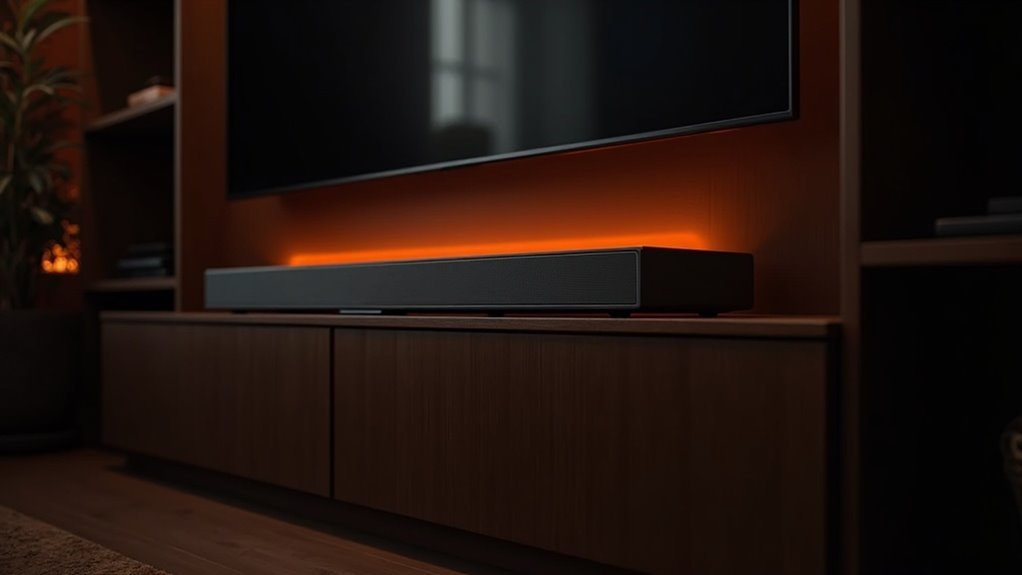
Yes, a soundbar can overheat in a closed cabinet due to insufficient ventilation. These devices need at least 3 inches of clearance for proper airflow. Without it, temperatures can exceed 120˚F, potentially damaging electronic components and compromising sound quality. Additionally, cabinet doors may block remote signals, leading to increased volume usage. To ensure optimal performance, it’s crucial to prioritize ventilation and explore effective cooling solutions for your soundbar. Learn more about ideal placement and maintenance strategies to protect your audio investment.
Key Takeaways
- When placing soundbars in cabinets, it’s important to ensure they have at least 3 inches of clearance for proper airflow, as inadequate space can lead to overheating.
- Closed cabinets can hinder ventilation, raising the risk of heat buildup that may exceed 120˚F.
- Overheating poses a threat to the electronic components of soundbars, which can negatively affect sound quality and shorten the device’s lifespan.
- Additionally, cabinet doors may block remote signals, prompting users to increase volume levels, which can further contribute to overheating.
- To combat overheating in enclosed spaces, it’s advisable to install cooling solutions, such as fans, to maintain optimal operating temperatures for your soundbar.
Understanding Soundbar Overheating Risks
When you place a soundbar in a closed cabinet, you increase the risk of overheating due to inadequate ventilation. Without proper airflow on all sides, heat can build up, potentially exceeding 120˚F, which can damage the electronic components of your soundbar.
This heat accumulation not only threatens the device’s longevity but also compromises sound quality. Many soundbars require at least 3 inches of clearance for optimal airflow, underscoring the importance of using open storage solutions.
Additionally, remote signal interference from cabinet doors may lead to increased volume usage, further exacerbating overheating issues.
To maintain ideal airflow and prevent overheating, it’s essential to regularly clean dust from the vents of your soundbar.
Pros and Cons of Cabinet Placement
Although placing a soundbar in a closed cabinet can create a tidy and organized look, it comes with significant drawbacks that can affect its performance.
The lack of ventilation in many cabinets restricts airflow, leading to potential overheating, which can damage your soundbar and degrade sound quality. Soundbars require at least 3 inches of clearance for proper ventilation, something that can be hard to achieve in enclosed spaces.
Additionally, cabinet doors may obstruct remote control signals, making operation inconvenient. While cabinets do protect against dust, the risks of muffled sound and overheating should be carefully weighed against the aesthetic benefits of cabinet placement.
Essential Features for Soundbar Cabinets
Choosing the right cabinet for your soundbar involves understanding specific features that enhance both performance and usability.
Look for a media cabinet that provides at least 3 inches of clearance for ventilation, ensuring optimal airflow to prevent overheating. An open shelf design allows sound waves to transmit effectively while promoting better airflow compared to enclosed spaces.
It’s essential to have adequate space to accommodate your soundbar without cramping, as this can hinder sound quality. Additionally, secure easy access to connections and adjustments; adjustable shelves and built-in ventilation features can significantly enhance functionality and reduce heat accumulation, ensuring your soundbar operates at its best.
Importance of Ventilation in Cabinets
Ventilation is crucial for soundbars housed in cabinets, as insufficient airflow can lead to overheating and potential damage. Proper ventilation helps maintain optimal temperatures, ensuring that soundbar components perform efficiently.
When devices exceed 120˚F, they risk serious harm, making it essential to incorporate cabinets with airflow management features, such as vents or open shelving. The BDI Code 7379 Quad Console is an excellent example of a design that promotes adequate ventilation, protecting your soundbar.
Additionally, regular maintenance, such as cleaning air vents and ensuring sufficient clearance around devices, is vital. By prioritizing ventilation, you can significantly extend the lifespan of your soundbar in enclosed spaces.
Cooling Solutions for Soundbars
Inadequate airflow can lead to overheating in soundbars, making cooling solutions essential for preserving their performance and longevity.
Installing fans, such as the Cooler Guys CG CabCool1201 or Scythe Sony 120mm models, can significantly enhance airflow in closed cabinets where soundbars are often housed.
Thermostat-controlled fans are particularly beneficial as they adjust automatically based on temperature, ensuring efficient cooling without the need for manual intervention.
It’s crucial to maintain at least 3 inches of clearance around your soundbar to allow for proper ventilation and prevent heat buildup.
Regularly monitoring the temperature of your soundbar and utilizing dust filters can further enhance cooling efficiency, ultimately extending the lifespan of your soundbar and enriching your overall audio experience.
Alternative Placement Options for Soundbars
Proper placement of your soundbar can greatly enhance both audio quality and cooling efficiency. To maximize performance, consider mounting it directly below or above your TV. This positioning improves sound wave distribution and promotes better ventilation, reducing overheating risks.
You can also place your soundbar on an open shelf, ensuring unobstructed sound transmission and allowing heat to dissipate effectively. Avoid floor placement to prevent audio quality degradation, and centralize the soundbar for the best sound experience.
Floating entertainment stands are stylish alternatives that maintain an open design, further enhancing ventilation for your soundbar while complementing your living space.
For more tips on optimizing your soundbar setup, explore our additional resources.
Maintenance Tips for Optimal Performance
To ensure your soundbar delivers optimal performance, regular maintenance is crucial.
Begin by using air dusters to clean air vents and internal components, preventing dust accumulation that can lead to overheating.
Ensure your soundbar has a minimum of 3 inches of clearance on all sides for proper ventilation, which helps reduce heat buildup.
Keep an eye on the operating temperature; prolonged exposure to temperatures above 120˚F can result in damage.
If your soundbar is situated in an enclosed area, consider adding thermostatically controlled fans to enhance airflow.
Lastly, routinely inspect for any obstructions and verify that connections are easily accessible to maintain ideal conditions and extend the lifespan of your soundbar.
Community Insights on Soundbar Setup
Many users have discovered that soundbar setup plays a crucial role in preventing overheating issues. Effective placement can guarantee proper ventilation and protect your media components.
Consider these community insights:
- Allow at least 3-5 inches of clearance around the soundbar for optimal airflow.
- Use cabinets with open shelves or built-in ventilation systems to improve circulation.
- Monitor temperatures regularly, especially in enclosed spaces where heat can accumulate.
- Consider external cooling solutions like fans to enhance airflow around your soundbar.
Implementing these strategies helps maintain peak performance, preventing your soundbar from reaching temperatures above the critical 120°F threshold.
Maintaining proper airflow prevents your soundbar from exceeding 120°F, ensuring peak performance and longevity.
Prioritizing airflow will ultimately extend the longevity of your soundbar and enhance your audio experience.







