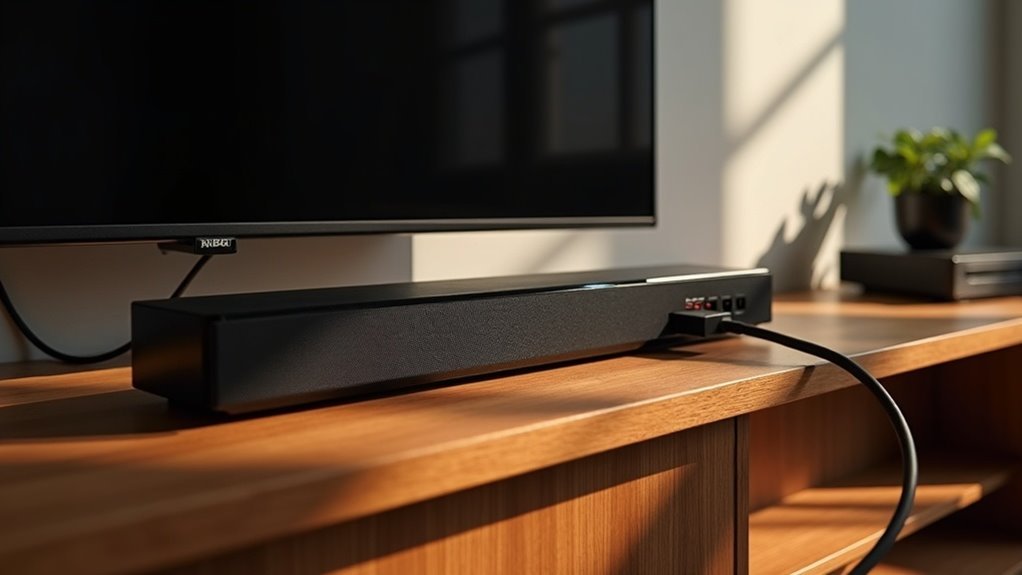
Most soundbars don’t accept USB audio as a primary input. Instead, they typically use USB ports mainly for firmware updates or to play music from flash drives. Some portable soundbars may connect to laptops via USB for enhanced audio, but compatibility with specific devices and file formats can vary. If you’re looking for alternative connection methods or tips on how to maximize your soundbar’s performance, there’s plenty of information available to explore.
Key Takeaways
- Most soundbars do not use USB as a primary audio input, primarily supporting firmware updates and music playback from flash drives.
- Portable soundbars can connect via USB for audio playback from laptops or PCs, enhancing sound quality.
- Compatibility with USB audio varies; not all soundbars support playback from external USB devices.
- USB connections simplify setup, reducing cable clutter and allowing for simultaneous charging and audio in portable soundbars.
- Alternatives like HDMI ARC, optical cables, and AUX provide high-quality audio options if USB is not available.
Do Soundbars Use USB for Audio?
When considering whether soundbars use USB for audio, it’s important to understand their functionality. Most soundbars don’t support USB as a primary audio input from TVs; instead, USB ports are mainly for firmware updates or playing music from flash drives.
While some portable soundbars can connect via USB for both power and audio to laptops or PCs, standard soundbars typically require alternative connection methods. If a soundbar accepts USB audio, be aware that compatibility with specific devices and file formats may vary.
When Is USB Useful for Soundbars?
USB is particularly useful for connecting portable soundbars to your laptop or PC, as it allows for the transmission of both power and audio through a single connection.
This feature is especially beneficial for users who want a streamlined setup without the clutter of multiple cables.
Additionally, using USB for firmware updates on smart soundbars ensures that you can easily keep your device up to date with the latest features and improvements.
Understanding these applications can significantly enhance your overall soundbar experience.
Portable Soundbar Applications
How can a portable soundbar enhance your audio experience? By using a USB cable, you can easily connect your soundbar to laptops or PCs, streamlining setup and providing a powerful audio boost on the go.
Many USB-powered soundbars require a USB-A to Micro-USB or USB-C cable for both power and audio, making them incredibly convenient for users. Some models feature USB-C connections that allow for audio transmission and charging simultaneously, enhancing versatility.
However, keep in mind that while USB connections work well for computers, they typically don’t support audio from TVs, so be sure to check your specific soundbar model for compatibility.
Firmware Update Requirements
While USB connections are often associated with audio streaming, they also play a crucial role in enhancing your soundbar’s performance through firmware updates.
To perform these updates, you’ll need a compatible USB-A flash drive, ensuring that your soundbar remains powered on throughout the process.
It’s important to note that the specific USB port type required can differ between soundbar models, so consulting the user manual is essential.
Regular firmware updates via USB can significantly improve sound quality, functionality, and compatibility with other devices.
Keeping your soundbar’s software current ensures optimal performance, allowing you to enjoy an enhanced audio experience.
Common Alternatives to USB for Soundbars
When connecting your soundbar, you have several effective alternatives to USB.
HDMI ARC or eARC connections provide high-quality audio and simplified control with one cable, making them ideal for modern home theater setups.
Meanwhile, optical digital audio cables ensure clear sound without interference, enhancing your listening experience.
For older devices, AUX or 3.5mm cables serve as a reliable analog option, allowing you to enjoy sound from various sources.
HDMI ARC/eARC Connections
What makes HDMI ARC and eARC standout alternatives to USB for connecting your soundbar?
Both technologies simplify connectivity by allowing high-quality audio transmission through a single HDMI cable, reducing cable clutter in your audio setup.
HDMI ARC supports basic audio, while eARC enhances bandwidth for advanced formats like Dolby Atmos and DTS:X, which USB typically can’t manage effectively.
With HDMI ARC/eARC, you can control both your TV and soundbar using one remote, enhancing convenience and streamlining your listening experience.
Additionally, these connections transmit audio signals directly from TV streaming apps to the soundbar, eliminating the need for extra setups.
Just ensure that both your TV and soundbar support ARC or eARC for optimal sound performance.
Optical Digital Audio Cables
For those seeking alternatives to USB connections for their soundbars, optical digital audio cables emerge as a top-notch option.
These cables deliver a high-quality audio connection by transmitting sound digitally, free from interference caused by electrical noise. Thanks to their fiber-optic design, optical digital audio cables ensure a pristine signal transfer, making them perfect for surround sound formats.
Their compatibility with a wide array of devices enhances their versatility for various audio sources connected to soundbars. Installation is a breeze, featuring a straightforward plug-and-play setup that’s user-friendly.
Unlike USB, optical cables are dedicated solely to audio transmission, ensuring sound quality is maintained without the constraints of USB media access.
AUX/3.5mm Analog Cables
AUX/3.5mm analog cables are a straightforward and effective solution for connecting soundbars to various audio devices.
These cables are widely compatible, allowing for easy plug-and-play functionality without complex setups. With the standard 3.5mm audio jack, you can seamlessly connect smartphones, laptops, and other devices to your soundbar, ensuring accessibility and convenience.
Using AUX cables guarantees consistent audio quality, eliminating potential Bluetooth issues like lag or interference.
Additionally, switching between devices is hassle-free; simply unplug the cable from one source and connect it to another.
This versatility makes AUX cables a reliable choice for enhancing your soundbar experience and enjoying high-quality audio.
Choosing the Right USB Cable (If Needed)
Choosing the right USB cable is essential to guarantee your soundbar functions correctly, especially if you’re planning to use it for audio or firmware updates.
For most soundbars, a USB-A to USB-A or USB-A to Micro-USB cable is commonly required. If you have a portable mini soundbar, you’ll likely need a USB-A to Micro-USB or USB-C cable for both power and audio.
For most soundbars, a USB-A to USB-A or USB-A to Micro-USB cable is typically necessary, especially for portable models.
PC soundbars typically use a USB-A to USB-B (printer-style) or USB-C cable for audio connectivity.
Always consult your user manual to verify the correct audio cable type and its intended use for your specific soundbar model.
Limitations and Considerations for USB Connections
While many soundbars include USB ports, they often come with limitations that users should be aware of. Not all soundbars support playback from external USB devices, and compatibility varies by model.
Typically, USB ports serve firmware updates or media access from flash drives rather than as primary audio inputs from TVs. Additionally, soundbars may restrict audio format types, so it’s essential to check specifications beforehand.
Audio Playback Options With USB
How can you enhance your audio experience with soundbars? By utilizing USB connections, you can directly play music from USB devices, simplifying your setup and eliminating the need for complex wireless connections. Here’s a quick comparison of audio output options for soundbars:
| USB Device Type | Compatibility |
|---|---|
| USB Flash Drive | Most formats |
| External Hard Drive | Extensive libraries |
| Wireless Streaming | Potential issues |
This direct playback provides a stable, uninterrupted audio output, making it easier to manage your music library and ensuring a seamless listening experience with your soundbar. Enjoy the convenience of centralized audio access!
Enhancing User Experience With USB Soundbars
USB soundbars significantly elevate your audio experience by enabling direct playback of music files from USB-connected devices.
USB soundbars enhance your audio experience with seamless playback of music files directly from USB devices.
With a streamlined setup, you can effortlessly access your music library without relying on additional streaming methods. These soundbars are designed to support various audio formats, ensuring compatibility with a wide range of media files.
- Reduced clutter by minimizing the number of devices
- Simplified plug-and-play functionality for quick setup
- Perfect for users who prefer straightforward technology
- Direct audio playback provides superior sound quality
- Convenient access to your favorite tunes at your fingertips







