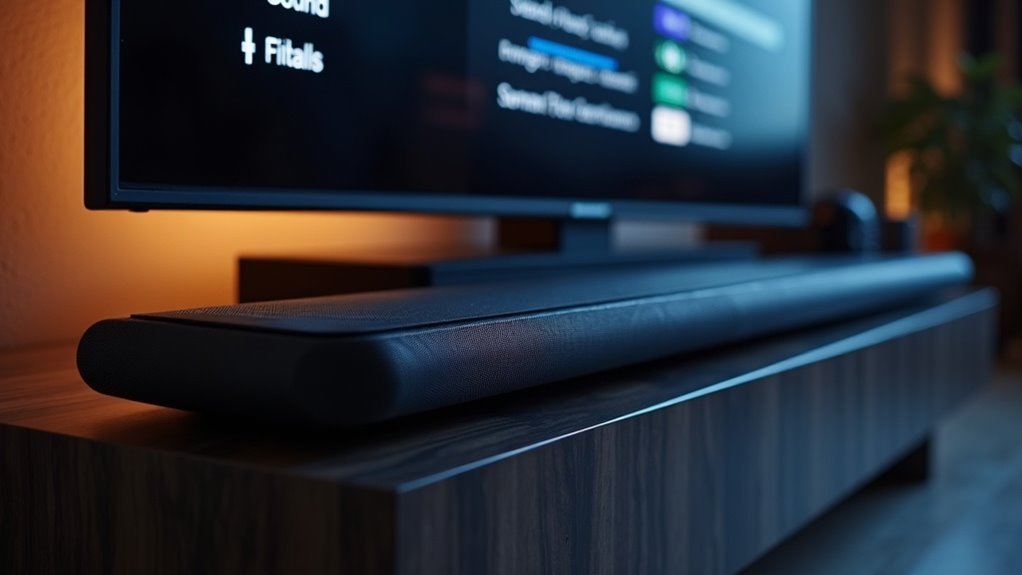
To reduce dynamic range on your soundbar, activate the maximum dynamic range compression settings. Engage night mode for late-night viewing to balance volume levels, ensuring softer sounds are more audible while limiting loud ones. Utilize dialogue enhancement features to boost speech clarity, especially during quiet scenes. Additionally, fine-tune the equalizer settings to match your room acoustics for the best audio experience. Explore further tips for optimal soundbar performance and adjustments to enhance clarity even more.
Key Takeaways
- Enable dynamic range compression settings, selecting options such as maximum or standard compression to minimize the audio range.
- Activate night mode to limit loud sounds while enhancing quieter audio, perfect for late-night viewing.
- Utilize dialogue enhancement features to boost speech clarity, which can effectively reduce perceived dynamic range.
- Adjust equalizer settings to balance bass and treble, focusing on mid-range frequencies to enhance dialogue intelligibility.
- Regularly fine-tune soundbar settings based on room acoustics to ensure consistent audio clarity and minimize dynamic fluctuations.
Understanding Dynamic Range in Soundbars
When you listen to audio through a soundbar, understanding dynamic range is essential for optimizing your experience.
Dynamic range refers to the difference between the quietest and loudest sounds in your audio. Soundbars often feature dynamic range compression settings, allowing you to adjust this range. You can select from maximum, standard, or no compression, tailoring the audio dynamics to your preferences.
Benefits of Night Mode and Dialogue Enhancement
Optimizing your soundbar experience involves utilizing features like night mode and dialogue enhancement, which cater to specific listening environments and content types.
Night mode effectively compresses audio levels, making soft sounds more audible while limiting louder ones—perfect for late-night viewing without disturbing others.
Meanwhile, dialogue enhancement boosts speech clarity, ensuring you can easily follow conversations, even amidst intense action scenes.
Many modern soundbars, such as the Sonos Beam, offer these settings, allowing you to customize your audio experience.
The combination of night mode and dialogue enhancement can dramatically improve intelligibility, particularly in larger or acoustically challenging spaces.
Explore these features to elevate your soundbar’s performance and enjoy a tailored audio experience.
Adjusting Equalizer Settings for Clarity
To achieve ideal clarity in your soundbar settings, focus on balancing bass and treble while emphasizing mid-range frequencies that are essential for dialogue.
Experimenting with preset modes like “Voice” or “Dialogue Enhancement” on your soundbar can provide immediate improvements.
Fine-tuning these settings allows you to tailor the audio experience to your preferences and the acoustics of your room, ensuring that every word is crystal clear.
Importance of Clarity Settings
Five key adjustments to your soundbar’s equalizer settings can greatly enhance clarity, particularly for dialogue and vocals.
To optimize your audio experience with your soundbar, consider these enhancements:
- Boost Mid and High Frequencies: Elevate frequencies that carry speech for clearer dialogue.
- Enable Speech Enhancement: Use this feature to isolate and amplify vocal frequencies without raising overall volume.
- Adjust Compression Settings: Maximize compression to reduce dynamic range, making quiet dialogue more audible.
Balancing Bass and Treble
While adjusting your soundbar’s equalizer settings, finding the right balance between bass and treble is essential for enhancing dialogue clarity.
To achieve this, consider reducing bass frequencies around 60-100 Hz, which can muddy voices. Instead, boost vocal frequencies in the mid-range (1-4 kHz) to guarantee clearer speech.
Additionally, tweaking treble settings (8-12 kHz) can enhance the crispness of dialogue without overwhelming the audio landscape.
Utilizing your soundbar’s app or remote allows for real-time adjustments, ensuring that you tailor the sound to your environment and preferences, ultimately improving your listening experience and enhancing clarity in every scene.
Experimenting With Preset Modes
Experimenting with preset modes on your soundbar can significantly elevate your listening experience by customizing sound output for different types of content.
Here are three effective approaches:
- Dialogue Enhancement: Enable speech clarity modes to boost vocal intelligibility during quiet scenes or intricate dialogue, ensuring you never miss a word.
- Custom Equalizer Settings: Fine-tune mid-range frequencies to highlight the tones where dialogue typically occurs, enhancing clarity and making conversations more audible.
- Night Mode: Activate compression settings to reduce loud sounds while amplifying softer audio, providing a balanced experience ideal for late-night viewing without disturbing others.
Additionally, regularly updating your soundbar’s firmware can introduce new presets, further optimizing sound performance across a variety of content types.
Placement and Configuration Tips
To achieve ideal sound performance with your soundbar, position it directly under the TV, ensuring it’s centered and free from obstructions.
Position your soundbar directly under the TV, ensuring it’s centered and unobstructed for optimal sound performance.
Maintain at least 6 inches of clearance for upward-firing drivers; this helps optimize sound projection and enhances dynamic range.
Connect the soundbar via HDMI ARC or optical cable for superior audio quality and easier control, which is essential for managing dynamic range settings.
Experiment with sound modes like dialogue enhancement or night mode to reduce dynamic range, ensuring clearer conversations.
Regularly adjust compression settings to tailor your audio experience according to your room’s acoustics and personal preferences.
Common Issues and Solutions
When using a soundbar with dynamic range compression, you might encounter lip sync issues that require you to adjust your TV audio settings.
Additionally, proper subwoofer placement can enhance sound clarity, while effectively integrating rear speakers can create a more immersive experience.
Addressing these common challenges will help optimize your soundbar’s performance for an enhanced audio experience.
Lip Sync Adjustments
Although lip sync issues can be frustrating, understanding their causes and solutions can help you achieve a seamless audio-visual experience with your soundbar.
To make effective lip sync adjustments, consider these steps:
- Adjust Soundbar Options: Use your soundbar’s remote or app to modify lip sync settings directly for optimal audio timing.
- Check TV Settings: If necessary, access your TV’s audio delay settings to fine-tune the synchronization with your soundbar.
- Use HDMI ARC: Opt for HDMI ARC connections, which enhance communication between your TV and soundbar, reducing audio delays.
If problems persist, test various audio sources with your soundbar to identify if the issue is specific to certain content types.
Subwoofer Placement Tips
Soundbar placement plays a critical role in achieving ideal sound quality and audio performance in your home entertainment setup. Here are some effective soundbar placement tips to take into account:
| Tip | Description | Considerations |
|---|---|---|
| Wall Alignment | Mount near the TV for optimal sound direction. | Ensures alignment with the visual source. |
| Center Placement | Position centrally for balanced audio output. | Helps create a more immersive listening experience. |
| Avoid Obstructions | Keep clear of furniture and other objects. | Promotes better sound dispersion and clarity. |
| Use Isolation Pads | Place on pads or stands to reduce vibrations. | Enhances sound quality and minimizes noise interference. |
Experiment with these strategies to elevate your audio experience!
Rear Speaker Integration
Integrating rear speakers into your soundbar setup greatly enhances the immersive experience, as they provide sound from multiple angles akin to a traditional surround sound system.
To optimize rear speaker integration with your soundbar, consider these key factors:
- Placement: Position rear speakers behind and to the sides of the main seating area, ensuring they’re at ear level and unobstructed for optimal sound delivery.
- Synchronization: If using wireless rear speakers, verify proper syncing with the soundbar to prevent any audio delays that could disrupt the viewing experience.
- Volume Balance: Adjust the volume of rear speakers to complement the main soundbar output, maintaining a harmonious sound environment that immerses you in your favorite movies and music.
Recommendations for Optimal Soundbar Performance
To achieve optimal soundbar performance, consider several key settings and features that enhance audio quality.
Start by utilizing dynamic range compression to improve dialogue clarity, which is especially useful in movies. Adjust the compression settings between maximum, standard, and none based on your environment.
Engage dialogue enhancement and night modes to maintain balanced volume and ensure clearer audio during quieter scenes.
For superior transmission, connect your soundbar via HDMI ARC or optical cables, and enable enhanced audio modes for a richer sound experience.
Regularly tweak the EQ settings and utilize auto-calibration to fine-tune performance, ensuring it seamlessly fits within your room’s acoustics.







