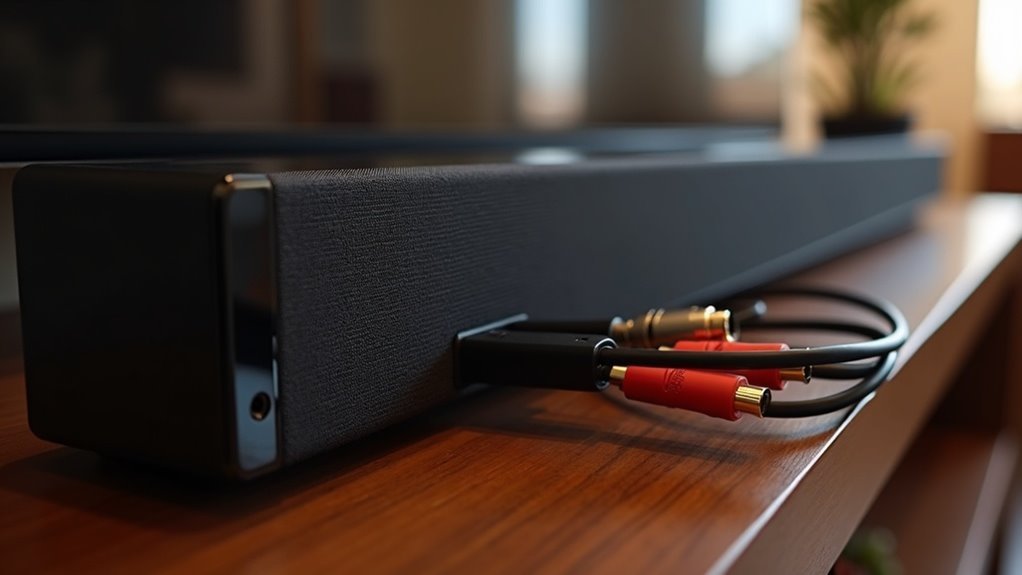
To guarantee optimal performance with your eARC soundbar, it’s essential to use Ultra High Speed HDMI cables. These cables support the necessary 48Gbps bandwidth for uncompressed audio formats, ensuring you achieve the best possible sound quality. While High-Speed HDMI cables might work, they could limit your audio experience. Be sure to connect directly to the eARC port on both your TV and soundbar for maximum functionality. Continue reading to learn more about setting up your eARC soundbar and ensuring compatibility.
Key Takeaways
- Use Ultra High Speed HDMI cables to support the 48Gbps bandwidth required for eARC audio transmission, ensuring your soundbar delivers the best audio experience.
- While High Speed HDMI cables can work, they may limit audio performance compared to Ultra High Speed options, which are ideal for soundbars.
- Ensure both your TV and soundbar have dedicated eARC ports to unlock optimal audio capabilities and enhance your sound system.
- Shorter HDMI cables are recommended to improve signal quality and data transfer rates, which is crucial for soundbars.
- Always check for eARC compatibility in devices; HDMI 2.1 support is necessary for full eARC functionality, allowing your soundbar to perform at its best.
Understanding HDMI Earc
When you’re setting up your home theater system with a soundbar, understanding HDMI eARC (Enhanced Audio Return Channel) is crucial for maximizing audio quality.
eARC provides lossless audio formats like Dolby TrueHD and DTS:X, allowing for an immersive experience with up to 32 audio channels.
To fully utilize eARC with your soundbar, verify that both your TV and soundbar feature HDMI eARC-compatible ports, usually marked as “eARC/ARC.”
While standard High-Speed HDMI cables may function, investing in Ultra High-Speed HDMI cables is recommended to achieve the full bandwidth of 48Gbps necessary for high-quality audio transmission.
This setup significantly enhances your audio experience, especially when paired with compatible soundbars.
Benefits of Using Earc Soundbars
Using eARC soundbars brings significant advantages that elevate your audio experience beyond standard setups.
These soundbars support high bitrate audio formats like Dolby Atmos, enhancing audio quality with immersive soundscapes. By transmitting uncompressed audio signals, eARC guarantees clearer sound reproduction compared to traditional ARC. You can enjoy up to 32 audio channels and 24-bit deep audio transmission, providing detailed audio experiences that are perfect for movie nights or music listening.
Additionally, using a High Speed HDMI cable simplifies your setup by requiring only one cable for both audio and video signals, reducing clutter and making installation a breeze. This advanced connectivity meets the bandwidth needed for today’s devices, assuring peak performance for your soundbar and enhancing your overall entertainment experience.
Required HDMI Cables for Earc
To achieve the best audio performance with your soundbar featuring eARC, it’s essential to use the right HDMI cables. The ideal choice is an Ultra High Speed HDMI cable, which supports the full 48Gbps bandwidth necessary for advanced formats like Dolby Atmos audio. Make sure your soundbar and TV have dedicated eARC ports for optimal transmission. While standard cables may work, opting for high-quality options helps reduce signal degradation. Here’s a quick reference:
| Cable Type | Key Features |
|---|---|
| Ultra High Speed HDMI | Supports 48Gbps, high bitrate audio |
| High Speed HDMI | Compatible, but may limit performance |
| eARC-Compatible Cables | Required for enhanced audio transmission |
| Standard HDMI | Functional but risks signal loss |
| Dedicated eARC Ports | Essential for full audio capabilities |
Differences Between HDMI ARC and Earc
When comparing HDMI ARC and eARC in the context of soundbars, you’ll notice significant differences in audio quality and format support.
eARC provides higher bandwidth, allowing for uncompressed audio formats like Dolby TrueHD, which enhances the sound experience from your soundbar.
In contrast, ARC is limited to compressed formats.
This enhancement not only improves sound fidelity but also supports advanced features like automatic lip-sync correction, making your soundbar experience more immersive and seamless.
Audio Quality Comparison
While both HDMI ARC and eARC are designed to transmit audio signals from your TV to a soundbar, the differences in their capabilities can greatly enhance your soundbar experience.
eARC offers significantly higher bandwidth, reaching up to 37 Mbps compared to ARC’s 1 Mbps. This allows for uncompressed audio formats like Dolby TrueHD and DTS-HD Master Audio, ensuring you enjoy superior audio quality and an enhanced surround sound experience with your soundbar.
Additionally, eARC supports up to 32 audio channels, providing a more immersive listening experience. By upgrading to eARC-compatible soundbars and devices, you can take full advantage of advanced audio formats, ensuring your soundbar performs at its best.
Bandwidth and Format Support
Understanding the differences in bandwidth and format support between HDMI ARC and eARC is essential for maximizing your soundbar’s capabilities.
eARC supports a bandwidth of up to 37 Mbps, allowing for uncompressed high-definition audio formats like Dolby TrueHD and advanced surround sound technologies such as Dolby Atmos, making it a perfect match for high-performance soundbars.
In contrast, HDMI ARC is limited to 1 Mbps and primarily handles compressed audio formats like Dolby Digital+, which may not fully utilize your soundbar’s potential.
To fully leverage eARC’s benefits and enhance your soundbar experience, use HDMI 2.1-compatible Ultra High Speed HDMI cables.
These cables ensure that enhanced audio formats and features, including automatic audio sync correction, are effectively utilized in your high-end audio setup, bringing cinematic sound quality right to your living room.
Compatibility Considerations
When setting up your eARC soundbar, it’s essential to ensure that your devices support HDMI 2.1 to take full advantage of its features, such as lossless audio formats.
Additionally, pay attention to the length of your HDMI cable, as longer cables can impact signal quality and overall performance.
HDMI Version Requirements
To ensure your soundbar with eARC capabilities delivers optimal performance, it’s crucial to use an HDMI cable that supports HDMI 2.1. This version is vital for accommodating the high bandwidth of up to 48 Gbps needed for advanced audio formats.
We recommend using High-Speed or Ultra High-Speed HDMI cables with Ethernet, as they’re designed to handle increased data transfer rates without degrading the signal quality. Look for “eARC/ARC” labels on the HDMI ports to verify compatibility.
While eARC allows for uncompressed audio formats such as Dolby TrueHD and DTS-HD Master Audio, standard ARC only transmits compressed audio, which can limit your sound quality.
Keeping these factors in mind will help you achieve peak audio performance from your soundbar.
Cable Length Impact
Choosing the right cable length for your eARC soundbar is essential for maintaining audio quality, as longer HDMI cables can introduce signal degradation. To ensure optimal performance, aim for a length under 10 meters.
Here are some important considerations:
- Shorter cables provide faster data transfer rates, enhancing the overall audio experience.
- For eARC setups, always use High-Speed or Ultra High-Speed HDMI cables to support the required bandwidth.
- Standard Type A HDMI cables are most effective within a range of 5-10 meters.
- If you need to exceed this length, specialized active HDMI cables can effectively extend the range without compromising quality.
- Always verify compatibility with your source device to ensure proper bandwidth support.
High-Speed vs. Ultra High-Speed HDMI Cables
While High-Speed HDMI cables can handle data transfer rates up to 18 Gbps, they may not fully support the advanced features offered by modern soundbars equipped with eARC.
To truly enhance your audio experience, it’s crucial to use Ultra High-Speed HDMI cables, which support data rates up to 48 Gbps. These cables facilitate high bitrate audio formats and higher resolutions, such as 8K, ensuring compatibility with premium audio features like Dolby TrueHD and DTS:X.
For optimal audio quality, always opt for Ultra High-Speed HDMI cables that support up to 48 Gbps.
Although High-Speed cables can function with eARC-enabled soundbars, their bandwidth limitations may compromise audio quality and overall performance.
For the best results, always choose cables labeled “Ultra High Speed” to ensure eARC functionality and optimal soundbar performance.
Setting up Your Earc Soundbar
Setting up your eARC soundbar is straightforward, provided you have the right equipment and follow a few key steps. Here’s how to get started:
- Use an HDMI eARC-compatible cable, ideally an Ultra High Speed HDMI cable.
- Verify that your TV and soundbar feature eARC-labeled HDMI ports for optimal Dolby Atmos support.
- Connect the HDMI cable from the eARC port on your TV directly to your soundbar.
- Adjust the audio settings on your TV to ensure eARC functionality is enabled.
- If you encounter audio syncing issues, look for audio delay or lip-sync correction settings in your TV’s audio menu.
Following these steps will guarantee that you enjoy high-quality audio from your soundbar effortlessly.







