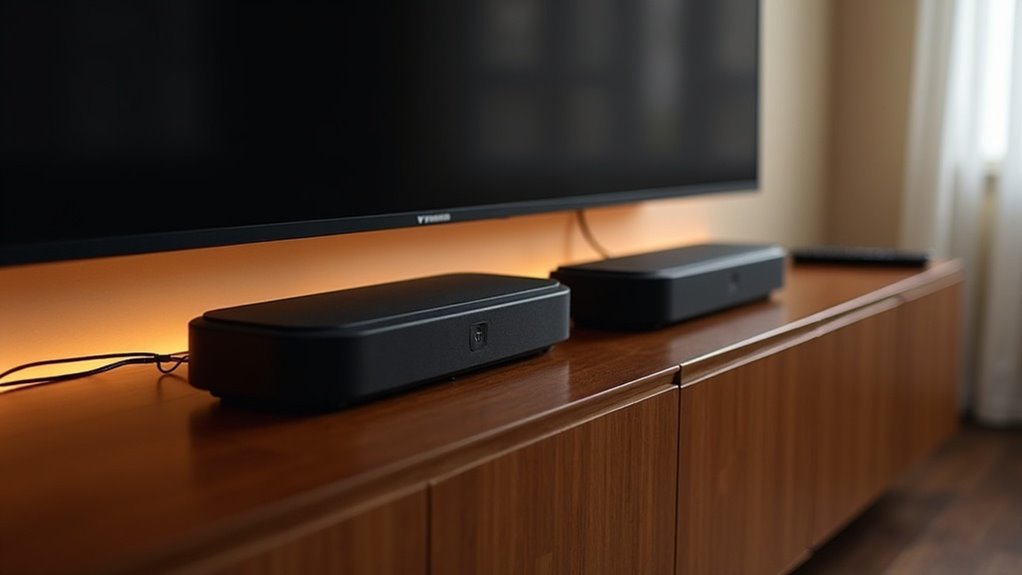
Connecting two Vizio soundbars together isn’t recommended due to potential compatibility issues and sound quality challenges. Using multiple soundbars can create latency and syncing problems, which may lead to echoes and diminished audio performance. Additionally, limited HDMI inputs can complicate the connection process. For optimal sound, it’s essential to consider the specific model capabilities and placement of the soundbars. To enhance your audio experience effectively, explore strategies for speaker placement and recommended models tailored for home setups. There’s a lot to consider to achieve the best results in your soundbar setup.
Key Takeaways
- VIZIO sound systems are designed as self-contained units, making it challenging to connect two soundbars together without facing compatibility issues.
- Manufacturer specifications discourage the use of multiple soundbars due to potential latency and synchronization problems that can negatively impact sound quality.
- The limited HDMI inputs on most TVs can complicate connections and necessitate manual switching, which may affect the user experience.
- Although strategic placement of multiple soundbars could enhance audio coverage, VIZIO recommends against combining them for optimal performance.
- Regular maintenance and adjustments in speaker placement can improve sound clarity; however, connecting two soundbars is not advisable.
Understanding VIZIO Soundbar Compatibility
When considering connecting two VIZIO soundbars, it’s essential to understand their compatibility limitations.
VIZIO sound systems are designed as self-contained units, optimized for performance without external components. Adding another soundbar can lead to compatibility issues, as these units aren’t built for daisy-chaining or multi-unit setups.
Furthermore, manufacturer specifications recommend against integrating additional speakers, which may compromise sound quality. Limited HDMI inputs on most TVs can further restrict connections, leading to frustration.
Ultimately, attempting to combine multiple VIZIO soundbars may not yield the desired audio experience, emphasizing the importance of selecting the right sound system for your specific needs.
Connection Methods for VIZIO Soundbars
Connecting VIZIO soundbars requires a clear understanding of the available methods to ensure optimal audio performance.
Since VIZIO soundbar systems are typically self-contained units, you may need to explore alternative connection methods, such as:
- HDMI switch to easily manage multiple inputs.
- Audio cable splitter for effectively distributing sound signals.
- Consulting user manuals for model-specific connection instructions.
Be aware of potential compatibility issues between different models, as these can lead to latency differences and sync problems.
Benefits of Using Multiple Soundbars
Using multiple soundbars enhances your audio experience by providing better sound coverage, especially in larger spaces.
Strategically placing soundbars allows for ideal sound dynamics, achieving a pseudo-surround effect that complements various types of content.
Additionally, having multiple soundbars gives you greater control over volume and audio settings, allowing for a tailored listening experience that elevates your home entertainment setup.
Enhanced Sound Experience
While a single soundbar can significantly enhance your audio experience, integrating multiple Vizio soundbars elevates it to a whole new level, creating a more immersive sound environment.
The advantages of using multiple soundbars notably improve sound quality and distribution across larger spaces.
- Higher wattage delivers enhanced clarity and presence, particularly during action sequences.
- Dynamic soundstaging amplifies surround sound effects for movies and gaming, providing a more engaging experience.
- Customizable EQ settings enable optimized audio profiles tailored to different content types, ensuring the best sound for every scenario.
Flexible Room Placement
When you incorporate multiple Vizio soundbars into your setup, you gain the flexibility to position them throughout your space for optimal audio performance. This strategic placement enhances sound distribution, fills dead spots, and creates distinct audio zones. For example, you can position one soundbar for bass and another for mid/high frequencies, enriching your audio experience.
| Placement Option | Benefits | Ideal Location |
|---|---|---|
| Front | Immersive experience | Living room |
| Back | Enhanced surround sound | Home theater |
| Corner | Wider sound dispersion | Open-concept spaces |
| Near Listener | Improved clarity | Dining area |
| Separate Zones | Distinct audio experiences | Multiple rooms |
Volume Control Options
Positioning multiple Vizio soundbars not only enhances audio distribution but also greatly improves your volume control options. By utilizing two soundbars, you can achieve a tailored audio environment that meets your specific needs.
- Adjust sound levels independently in different areas, enhancing audio clarity.
- Create distinct soundscapes for various activities, like movies or music.
- Compensate for audio output differences, ensuring consistent performance.
This flexibility allows you to fine-tune volume settings, making your experience richer and more enjoyable.
Ultimately, employing multiple Vizio soundbars elevates your sound experience, granting you unparalleled control over your audio landscape.
Potential Challenges and Limitations
While the idea of connecting two Vizio soundbars to enhance your audio experience may seem appealing, several challenges and limitations can arise. Vizio soundbar systems are designed as self-contained units, which can lead to potential compatibility issues. You may encounter latency and synchronization problems, resulting in echoes that diminish sound quality. Additionally, limited HDMI inputs can complicate your setup, necessitating manual input switching. Vizio recommends following their specifications and discourages the use of multiple soundbars.
| Challenge | Description |
|---|---|
| Compatibility Issues | Different configurations may lead to problems. |
| Latency and Sync Issues | Noticeable echo can occur during playback. |
| HDMI Input Limitations | Manual switching may be required. |
Recommended Models for Pairing
When exploring Vizio sound bars, it’s important to note that they aren’t designed for pairing, as each model operates independently.
If you’re looking to enhance your audio experience, consider models such as the V-Series or M-Series, which come equipped with built-in subwoofers or support for wireless surround speakers.
For optimal performance, it’s best to use these systems as intended, rather than attempting to connect multiple sound bars together.
Compatible Vizio Soundbars
To enhance your audio experience, it’s vital to choose compatible Vizio soundbars that can work well together.
While Vizio soundbars are generally self-contained systems, you might consider models like these for better integration:
- Vizio SB36512-F6: This soundbar supports multiple channels and can significantly enhance overall sound quality.
- Vizio SB3821-C6: A reliable choice with built-in surround sound capabilities for a more immersive experience.
- Vizio SB36514-G6: Renowned for delivering an immersive audio experience, perfect for movie nights or gaming.
However, it’s important to note that Vizio doesn’t officially support daisy-chaining soundbars.
Always consult user manuals for compatibility guidelines to ensure optimal performance.
Optimal Connection Methods
Connecting multiple Vizio soundbars can be a challenge due to their design as self-contained systems. However, using an HDMI switch or an optical splitter can help manage connections effectively. Keep in mind that the primary soundbar must have the appropriate output options, and both soundbars need compatible connection types. For optimal performance, consider upgrading to a model that supports wireless rear speakers. Below is a table outlining the recommended connection methods:
| Connection Method | Compatibility Notes |
|---|---|
| HDMI Switch | Varies by soundbar model |
| Optical Splitter | Requires synchronization |
| Wireless Setup | Ideal for surround sound |
This website is dedicated to providing insights and solutions for soundbar connectivity.
Tips for Optimal Audio Setup
While using two Vizio soundbars can significantly elevate your audio experience, achieving the optimal setup requires thoughtful consideration of your connections and placement.
- Utilize a cable splitter or optical connection to reduce latency and ensure synchronization.
- Arrange one soundbar in front and the other behind to create a more immersive surround sound experience.
- Fine-tune EQ settings or switch both soundbars to ‘movie’ mode to minimize echo and enhance dialogue clarity.
To achieve the best sound quality, consider investing in a Vizio soundbar system specifically designed for multi-channel audio.
Lastly, regularly evaluate your room’s acoustics and adjust speaker placement to improve clarity and diminish interference between the soundbars.







