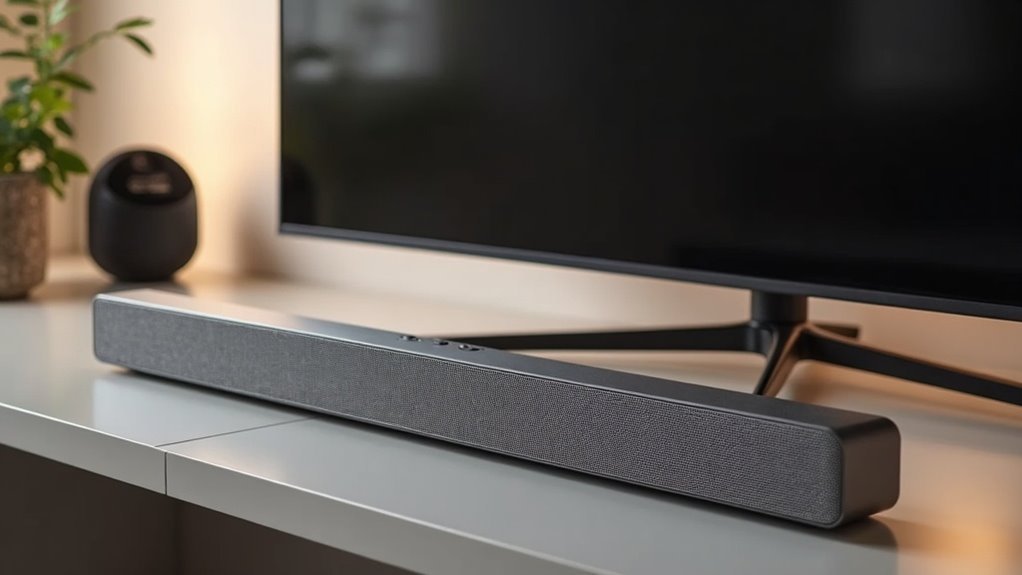
PC soundbars and TV soundbars serve different purposes, feature distinct designs, and offer varying functionalities. PC soundbars are typically compact, optimized for close-range listening, and enhance dialogue clarity, making them ideal for gaming or productivity tasks. On the other hand, TV soundbars are designed to create a broader sound stage for larger spaces, providing an immersive audio experience for movies and shows. Connectivity options also vary: PC soundbars often focus on simplicity, while TV soundbars tend to support more advanced setups. Understanding these differences is essential for selecting the right soundbar tailored to your audio needs. Continue to explore our website for more insights on soundbar solutions.
Key Takeaways
- PC soundbars are compact, typically around 20 inches in length, and designed for close listening at desks, while TV soundbars are larger, often exceeding 40 inches, to complement bigger screens.
- The audio quality in PC soundbars emphasizes clear dialogue and detail, making them suitable for gaming and work, whereas TV soundbars aim to create a broad soundstage for immersive home entertainment experiences.
- Connectivity options vary: PC soundbars commonly use 3.5mm jacks and USB connections, while TV soundbars typically feature HDMI ARC and optical cables for enhanced audio performance.
- Pricing also differs significantly, with budget PC soundbars starting around $35, while TV soundbars generally begin at $100, reflecting their varying intended uses and target audiences.
- In summary, PC soundbars are perfect for small spaces and casual listening, while TV soundbars are designed to elevate the audio experience in larger home environments.
Understanding Soundbars for PC
When you’re exploring audio options for your PC setup, it’s crucial to understand the distinctive features of soundbars designed specifically for computers.
PC soundbars come with compact designs that fit perfectly in limited desk spaces, offering a significant upgrade in audio quality compared to built-in speakers. They often emphasize Bluetooth connectivity for an effortless and wireless experience, although they may not reach the audio performance levels of dedicated desktop speakers.
PC soundbars enhance audio quality while saving space, featuring Bluetooth for wireless convenience, though they may lack the depth of dedicated speakers.
These soundbars provide clear sound, making them suitable for close-range listening, but they typically fall short in delivering the immersive sound experience and extensive customization options found in traditional audio systems.
Unlike TV soundbars, which often utilize virtual surround sound technology, PC soundbars are crafted to enhance your audio experience within a more compact setup, effectively catering to your sound needs while optimizing your workspace.
The Purpose of TV Soundbars
TV soundbars serve a distinct purpose by greatly enhancing audio quality for larger screens, making them a popular choice for home entertainment systems. They create an immersive sound experience through advanced features like virtual surround sound and Dolby Atmos, simulating multi-directional audio. Their built-in subwoofers deliver deep bass, perfect for cinematic moments.
| Feature | Benefit |
|---|---|
| Virtual Surround Sound | Expansive audio field |
| Built-in Subwoofers | Enhanced bass response |
| Connectivity Options | Seamless integration with devices |
Explore the benefits of soundbars to elevate your home viewing experience.
Design Differences: Size and Form Factor
Soundbars designed for PCs and those meant for TVs exhibit significant differences in size and form factor, tailored to their intended environments.
PC soundbars are typically compact and space-efficient, often around 20 inches, making them ideal for limited desk spaces. In contrast, TV soundbars usually exceed 40 inches in length to complement larger screens.
Their designs prioritize a low profile for best placement in front of monitors, while TV soundbars are meant for placement beneath screens or wall mounting.
Furthermore, PC soundbars focus on near-field listening, optimizing audio for close-range use, unlike TV soundbars that project sound over greater distances.
Audio Quality: PC vs. TV Soundbars
When comparing audio quality between PC and TV soundbars, it’s essential to consider the differences in sound field and their intended usage scenarios.
PC soundbars are designed to deliver a more direct sound, making them ideal for close listening environments, such as at a desk.
In contrast, TV soundbars focus on creating a broader soundstage suitable for larger rooms and enhancing cinematic experiences.
Additionally, the variety of connectivity options available can influence how you integrate these soundbars into your overall audio setup, ultimately impacting the performance and listening experience.
Sound Field Differences
While both PC and TV soundbars aim to enhance audio quality, their design intentions lead to significant differences in sound fields.
PC soundbars typically cater to close-range listening, resulting in a narrower soundstage and less bass response. They focus on clear dialogue and detailed sound, making them ideal for gaming and productivity.
In contrast, TV soundbars are engineered for larger spaces, utilizing acoustic design that promotes immersive audio and surround sound effects, often enhanced by technologies like Dolby Atmos.
This allows TV soundbars to effectively fill rooms with sound, creating a more expansive audio experience compared to their PC counterparts.
Usage Scenarios Comparison
Choosing between PC and TV soundbars for specific usage scenarios often hinges on their distinct audio qualities.
PC soundbars excel in enhancing dialogue clarity for gaming and casual use, making them a popular choice for users who prioritize clear vocals. However, their compact design may limit the immersive listening experience compared to larger systems.
On the other hand, TV soundbars are engineered for broader spaces, providing wider sound dispersion and virtual surround sound capabilities, which are ideal for cinematic audio experiences. While this optimization enhances movie watching, it may not deliver the same impact when listening up close.
For those seeking detailed audio playback, dedicated desktop speakers often outperform both PC and TV soundbars, offering a richness and depth that neither option can consistently achieve in their respective environments.
Connectivity Options Variability
The differences in connectivity options between PC and TV soundbars significantly influence their audio quality and overall user experience.
PC soundbars typically connect via 3.5mm jacks, USB, or Bluetooth, which can limit versatility in desktop setups. In contrast, TV soundbars often utilize HDMI ARC and optical cables, allowing for advanced audio processing and multi-device switching.
Additionally, many TV soundbars come equipped with built-in subwoofers that enhance sound quality, creating immersive audio environments. This design is geared towards larger spaces and surround sound simulation, while PC soundbars are optimized for near-field listening, resulting in less dynamic audio.
Consequently, your choice of soundbar can greatly affect the sound experience in various settings.
Connectivity Options for Each Type
When considering connectivity options for soundbars, you’ll notice key differences between those designed for PCs and those intended for TVs.
PC soundbars typically rely on input ports such as the 3.5mm audio jack or USB for connectivity.
In contrast, TV soundbars utilize HDMI ARC for seamless integration with various devices, offering a more streamlined setup.
Additionally, many TV soundbars come equipped with advanced wireless connectivity features, such as Bluetooth and Wi-Fi, which are often less common in their PC counterparts.
Input Port Variability
While both PC and TV soundbars serve to enhance audio experiences, their input port variability highlights distinct design philosophies tailored to different user needs.
PC soundbars typically incorporate USB, 3.5mm audio jacks, and Bluetooth for seamless connectivity with computers, prioritizing straightforward audio connections.
In contrast, TV soundbars often feature HDMI ARC, optical inputs, and multiple HDMI ports, accommodating various media devices like gaming consoles. This design allows for enhanced setup options and high-definition audio processing, such as HDMI eARC.
Ultimately, the connectivity differences reflect their intended uses: versatility for PC soundbars and optimized performance for TV soundbars in home theater systems.
Explore our website to learn more about the features and benefits of different soundbars to find the perfect fit for your audio needs.
Wireless Connectivity Features
Wireless connectivity features significantly differ between soundbars designed for PCs and those intended for TVs, addressing the unique needs of their respective environments.
PC soundbars typically utilize Bluetooth and USB connections, facilitating easy pairing with computers. In contrast, TV soundbars prioritize HDMI ARC and optical audio connections for seamless integration with larger entertainment systems.
Many PC models also offer 3.5mm audio inputs for enhanced compatibility with standard headphone jacks. On the other hand, TV soundbars often support advanced audio formats such as Dolby Atmos through HDMI connections.
Additionally, while PC soundbars may focus on simpler streaming options, TV soundbars provide robust wireless capabilities, allowing for efficient connections to home networks and access to various streaming services.
Space Considerations for Desktop Setups
Considering the limited space often found in desktop setups, choosing a PC soundbar can greatly enhance your overall arrangement.
PC soundbars, typically around 20 inches, are designed to fit neatly in front of your monitor, providing an ideal sound placement that can elevate your audio experience.
While they do require some desk space, their sleek design often allows for a more streamlined setup compared to traditional speakers.
For users with limited space, a PC soundbar can be a practical audio solution, delivering high-quality sound without compromising on desk space or layout efficiency.
Pricing Comparison: Value for Money
When evaluating audio options for your desktop setup, the pricing of PC soundbars compared to traditional TV soundbars reveals notable differences in value for money. PC soundbars typically offer budget options, starting as low as $35, while TV soundbars often begin at a higher price due to advanced features. Although high-end PC soundbars range from $150 to $250, they may not deliver superior sound quality compared to dedicated speakers. Below is a pricing comparison to illustrate these differences specifically for soundbars:
| Type | Price Range |
|---|---|
| Budget PC Soundbars | $35 – $100 |
| High-End PC Soundbars | $150 – $250 |
| Budget TV Soundbars | $100 – $300 |
| Premium TV Soundbars | $300+ |
| Dedicated Speakers | $100 – $250 |
This pricing comparison highlights the value for money that different soundbar options provide for your audio needs.
Who Should Choose Each Option?
Which audio setup is right for you largely depends on your specific needs and environment, especially when considering soundbars.
If you’re aiming for immersive movie experiences in a larger living space, a TV soundbar is ideal, as it fills the room with sound.
For a desktop setup, PC soundbars offer a compact design suitable for limited space, making them a practical choice for casual listening or an audio upgrade.
However, if you’re a gamer or audiophile seeking advanced audio quality, you may want to explore dedicated soundbars that provide superior channel separation and precise sound localization compared to standard models.







