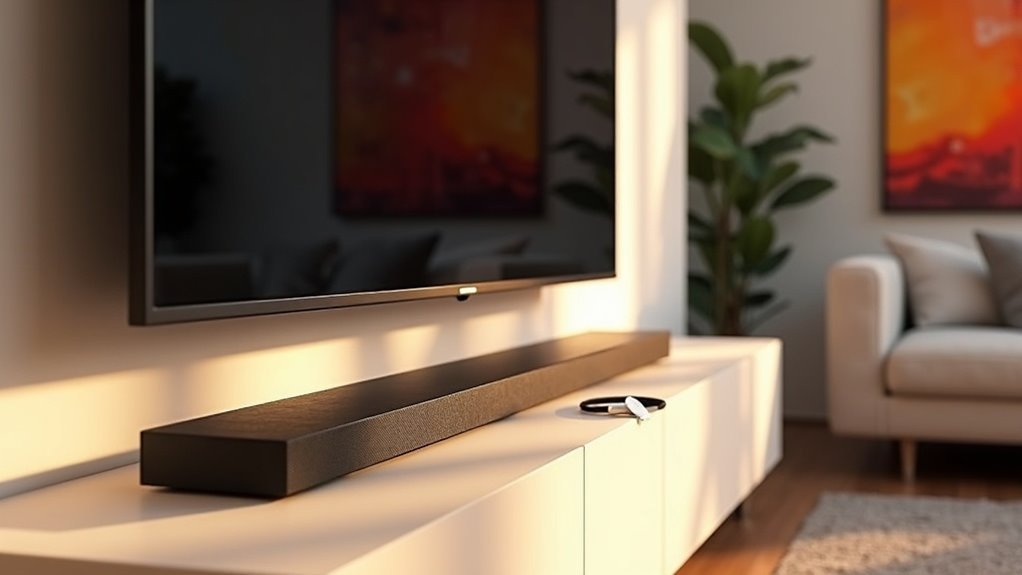
Yes, many soundbars, including those from JBL and LG, are compatible with Chromecast, allowing you to stream audio from various apps seamlessly. However, you’ll need to connect through your TV since direct output isn’t supported. For optimal audio quality, it’s recommended to use HDMI ARC or optical cables. Additionally, some soundbars feature voice control capabilities for easy management. If you’re interested in enhancing your audio experience, be sure to explore more options and tips related to soundbars!
Key Takeaways
- Many soundbars, like JBL and LG, come equipped with built-in Chromecast capabilities, allowing for seamless audio streaming.
- While Chromecast cannot connect directly to soundbars, it can be routed through a TV for audio output.
- Most soundbars feature various connection options such as Bluetooth, HDMI ARC, or optical connections, which can enhance audio quality.
- To effectively cast audio, make sure your soundbar is recognized as a Chromecast-enabled device.
- Properly setting up your Chromecast with your soundbar can help reduce cable clutter and significantly improve your audio experience.
Understanding Chromecast Compatibility With Soundbars
When you’re looking to enhance your home audio experience, understanding soundbars and their compatibility with Chromecast is essential.
Many soundbars, like those from JBL and LG, come with built-in Chromecast capability, allowing for seamless audio streaming from your devices.
To achieve audio playback, you need to connect your soundbar to the TV, as direct output from Chromecast isn’t supported.
Additionally, some soundbar models offer Bluetooth, HDMI ARC, or optical connections to improve audio quality.
It’s important to confirm that your soundbar is recognized as a Chromecast-enabled device to effectively cast audio from compatible streaming services.
With this setup, you can enjoy a richer audio experience in your home.
Benefits of Using Chromecast With Soundbars
Using Chromecast with soundbars significantly enhances your audio experience in various ways. It allows you to wirelessly stream from popular music apps like Spotify and YouTube Music straight to your soundbar, helping to reduce cable clutter. With built-in Chromecast, controlling your audio becomes a breeze with Google Assistant, enabling hands-free adjustments to volume and track selection. Additionally, many leading soundbar brands support this technology, making it simple to set up a multi-room audio system.
| Benefit | Description |
|---|---|
| Seamless Streaming | Stream audio directly from apps without the need for additional devices |
| Voice Control | Easily manage settings using Google Assistant |
| High-Quality Audio | Enjoy access to premium audio streaming services |
| Smart Home Integration | Effortlessly connect with other smart home devices |
Common Connectivity Issues and Solutions
While connecting your soundbar with Chromecast can significantly enhance your audio experience, you may encounter some common connectivity issues.
First, ensure you’re using HDMI ARC or optical cables for optimal audio output. If you’re utilizing older Chromecast models, keep in mind they don’t support Bluetooth, which means direct connections may be necessary.
Additionally, you may need to adjust your TV settings to ensure the soundbar receives the signal correctly. If you’re connecting Chromecast directly to your soundbar’s HDMI in port, make sure the soundbar is properly linked to the TV for audio playback.
Recommended Soundbars With Chromecast Built-In
A variety of soundbars on the market today come equipped with Chromecast built-in, making them a fantastic choice for anyone looking to enhance their audio experience. These soundbars allow seamless audio streaming from apps like Spotify and YouTube Music, and you can control them with Google Assistant. Here are some recommended options:
| Soundbar Model | Features | Price Range |
|---|---|---|
| JBL Bar 9.1 | 9.1 surround sound, Chromecast | $800 – $900 |
| JBL Bar 5.1 | 5.1 surround sound, Google Assistant | $400 – $500 |
| LG 9.1.5-Channel S95TR | Multi-room audio, Chromecast | $1,200 – $1,300 |
| Sony HT-G700 | Dolby Atmos, voice control | $300 – $400 |
| Vizio 5.1 Soundbar | Wireless subwoofer, Chromecast | $350 – $450 |
These soundbars not only provide excellent sound quality but also integrate seamlessly with your smart home setup for an enhanced listening experience.
Enhancing Your Audio Experience With Chromecast
Enhancing your audio experience with a soundbar featuring Chromecast opens up a world of possibilities for seamless streaming and effortless control.
With soundbars that have built-in Chromecast, you can easily stream audio from popular platforms like Spotify and YouTube Music.
Plus, utilizing Google Home allows you to control playback with simple voice commands, adding an extra layer of convenience.
For an immersive audio experience, connect your soundbar via HDMI ARC or optical cables to ensure superior sound quality.
If you have a wireless subwoofer, it can significantly enhance your sound system, providing rich bass and clarity.
Enjoy a hands-free, high-quality audio experience with your soundbar and Chromecast today!







