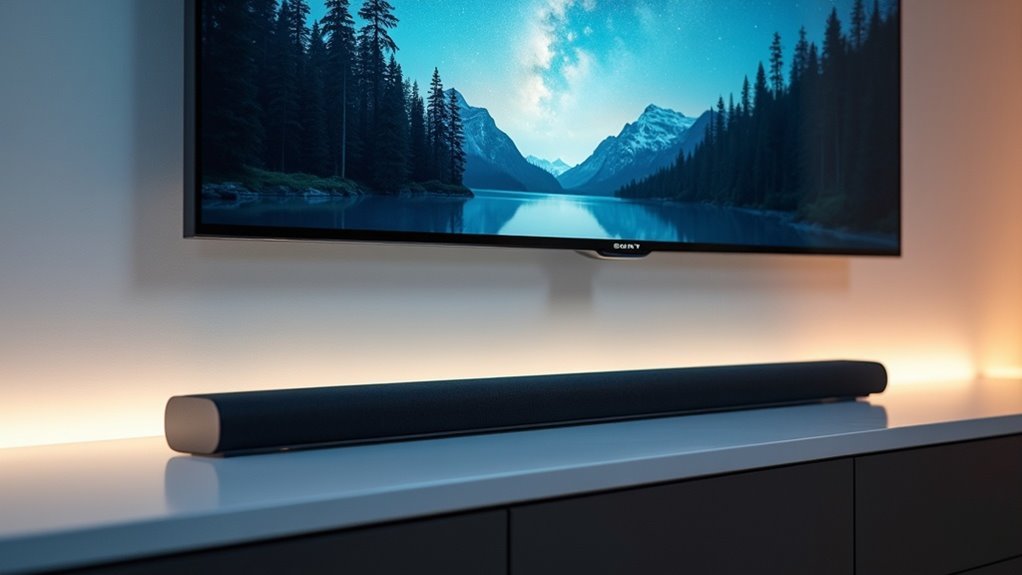
Yes, soundbars are compatible with Sony TVs, particularly models released in 2021 and later. These TVs come equipped with Acoustic Center Sync, which enhances audio quality, and they often support HDMI 2.1 eARC for advanced sound formats like Dolby Atmos. You can easily connect your soundbar via Bluetooth or HDMI ARC for more convenient control. While non-Sony soundbars can be used, they may not provide the same level of performance. If you’re looking to optimize your audio experience, there are plenty of options and configurations to consider for your soundbar setup.
Key Takeaways
- Sony soundbars (2021 and later) are designed for optimal compatibility with Sony TVs, enhancing audio synchronization through Acoustic Center Sync.
- Most Sony soundbars feature HDMI 2.1 eARC support, allowing for high-quality audio formats such as Dolby Atmos.
- While non-Sony soundbars can be connected to Sony TVs, they may not provide the best audio performance.
- Connection options for soundbars include Bluetooth pairing, HDMI ARC, and optical cable, each offering different levels of convenience and sound quality.
- The BRAVIA Connect app helps with sound calibration based on room acoustics, ensuring a tailored audio experience.
Understanding Soundbar Compatibility
When selecting a soundbar for your Sony TV, understanding compatibility is crucial to ensure you achieve the best audio experience.
Sony soundbars, particularly those released in 2021 and later, are designed to integrate seamlessly with their TVs, utilizing Acoustic Center Sync for improved audio synchronization. Most models support HDMI 2.1 eARC, enabling high-quality audio, including advanced formats like Dolby Atmos.
Sony soundbars from 2021 onward offer seamless integration with TVs, featuring Acoustic Center Sync and HDMI 2.1 eARC for exceptional audio quality.
While non-Sony soundbars can be connected, optimal performance and features are best realized with Sony options.
Furthermore, utilizing the BRAVIA Connect app allows you to calibrate sound settings to suit your room’s acoustics, providing a customized audio experience.
Connection Methods for Soundbars
When connecting your soundbar to a Sony TV, there are a couple of effective options to enhance your audio experience: Bluetooth pairing and HDMI ARC setup.
For Bluetooth, simply activate pairing mode on both devices and confirm the connection in your TV settings for a wireless setup.
If you prefer a wired solution, using HDMI ARC not only simplifies the connection but also allows for easier control through your TV remote, ensuring seamless integration for your soundbar.
Bluetooth Pairing Process
To successfully pair your soundbar with a Sony TV via Bluetooth, start by activating the Bluetooth pairing mode on the soundbar.
Next, grab your Sony Bravia remote and press and hold the home button to access settings. Navigate to “All Settings,” then select “Remote & Accessories.”
Here, choose “Pair Accessory” to begin the Bluetooth pairing process. Your TV will search for the soundbar, and once it appears, confirm the connection.
Ensure both devices are powered on and within range for a smooth pairing experience, allowing you to enjoy enhanced audio effortlessly through your soundbar.
HDMI ARC Setup
Connecting your soundbar to a Sony TV using HDMI ARC is a straightforward process that significantly enhances your audio experience.
First, plug one end of the HDMI cable into the TV’s HDMI ARC port and the other into the soundbar’s HDMI port.
Next, ensure that HDMI CEC is enabled in your TV settings by navigating to “Channels and Inputs,” then “External Inputs,” and finally “HDMI CEC Settings.”
After that, set the TV’s audio output to “Audio System” to direct sound through your soundbar.
If you encounter any issues, check the cable connection and restart both devices to refresh the HDMI ARC setup.
Enjoy the immersive sound that your soundbar provides!
Benefits of Using a Soundbar With Sony TVS
Using a compatible soundbar can significantly enhance your audio experience, especially when paired with a Sony TV. A soundbar, particularly a Sony model, integrates seamlessly with your TV, optimizing audio synchronization through features like Acoustic Center Sync.
This combination greatly improves sound quality, offering an immersive theater-like experience for movies and gaming. Many Sony soundbars also support advanced audio formats such as Dolby Atmos and DTS:X, maximizing your audio potential when connected to your TV.
Additionally, the BRAVIA Connect app allows for automatic calibration, ensuring that your audio output is tailored to your environment, while quick settings on your Sony TV remote make controlling your soundbar effortless.
Recommended Soundbars for Sony TVs
When selecting a soundbar to pair with your Sony TV, it’s essential to consider both premium models and budget-friendly options.
Features such as Dolby Atmos support and HDMI eARC compatibility can significantly enhance your audio experience.
Top Sony Soundbars
If you’re looking to elevate your audio experience, the Sony BRAVIA Theater Bar 8 and Bar 9 soundbars are excellent choices for Sony TV owners.
Designed for seamless integration with 2021 and newer models, these soundbars feature Acoustic Center Sync for enhanced audio synchronization.
You’ll enjoy advanced capabilities like Dolby Atmos and DTS:X when paired with optional rear speakers. The 360 Spatial Sound Mapping technology simulates overhead audio effects, enriching your soundstage.
Plus, automatic calibration through the BRAVIA Connect app guarantees ideal sound settings tailored to your space, making these soundbars a fantastic addition to your home entertainment setup.
Affordable Alternatives Available
For those seeking budget-friendly soundbars that still deliver quality sound, there are several options compatible with Sony TVs that won’t break the bank.
The HT-A3000 3.1ch Dolby Atmos Soundbar priced at $599.99 and the BRAVIA Theater Bar 6, 3.1.2ch with wireless subwoofer available for $499.99 are excellent choices for affordable soundbars.
Additionally, brands like Vizio and Polk Audio offer budget-friendly models that support HDMI ARC and Bluetooth connectivity.
To enhance your audio experience, consider adding optional wireless subwoofers and rear speakers for deeper bass and immersive surround sound.
Just ensure both the soundbar and your Sony TV support HDMI CEC for seamless integration.
Features to Consider
When selecting the ideal soundbar for your Sony TV, it’s essential to evaluate several features that can significantly enhance your audio experience.
Consider models such as the BRAVIA Theater Bar 8 or Bar 9, which are designed to work flawlessly with the latest Sony TVs, providing Acoustic Center Sync for improved sound alignment.
Look for support for advanced audio formats like Dolby Atmos and DTS:X to fully immerse yourself in a home theater environment.
The automatic calibration feature available through the BRAVIA Connect app can further refine sound quality based on your room’s unique acoustics.
Ensure your soundbar includes HDMI 2.1 eARC connectivity for optimal audio performance, and consider adding optional wireless subwoofers and rear speakers to elevate your sound setup, creating a more cinematic experience in your living space.
Setting up Your Soundbar With a Sony TV
Setting up your soundbar with a Sony TV can significantly enhance your audio experience, especially when you utilize the right connections. Here’s how to connect effectively:
- HDMI ARC: Use an HDMI ARC cable for seamless audio and remote control functionality. Ensure that HDMI CEC is enabled in your TV settings for optimal performance.
- Bluetooth: Activate pairing mode on your soundbar, then select the soundbar in your TV’s Bluetooth settings for a convenient wireless connection.
- Optical Cable: For a stable wired connection, plug an optical cable into both devices and adjust the audio output settings on the TV to ensure the soundbar is recognized.
Don’t forget to set your soundbar as the audio output in the TV’s speaker settings to fully enjoy your enhanced audio experience!
Troubleshooting Common Connection Issues
When you encounter issues connecting your soundbar to your Sony TV, it’s essential to methodically troubleshoot the problem to restore ideal audio performance.
First, ensure your soundbar is powered on and properly connected via HDMI ARC, optical cable, or Bluetooth.
Next, verify that the HDMI CEC setting is enabled on your TV for effective communication with the soundbar.
Check that the audio output is set to the soundbar in the speaker settings.
If you’re using Bluetooth, confirm the soundbar is in pairing mode while the TV searches for devices.
Finally, restart both devices and consult the soundbar’s user manual for additional troubleshooting steps to enhance your audio experience.
Enhancing Your Audio Experience With Soundbars
To truly elevate your audio experience with a soundbar, particularly when paired with your Sony TV, understanding the features that enhance this combination is essential.
Here are three key aspects to consider:
- Acoustic Center Sync: This feature synchronizes audio output, ensuring seamless dialogues and sound effects that significantly enhance your cinematic experience.
- 360 Spatial Sound Mapping: This technology creates a wider soundstage, making your movies and gaming sessions more immersive and engaging.
- Automatic Calibration: Utilizing the BRAVIA Connect app, this feature optimizes sound settings based on your room’s unique acoustics, delivering a tailored audio performance that meets your specific environment.







