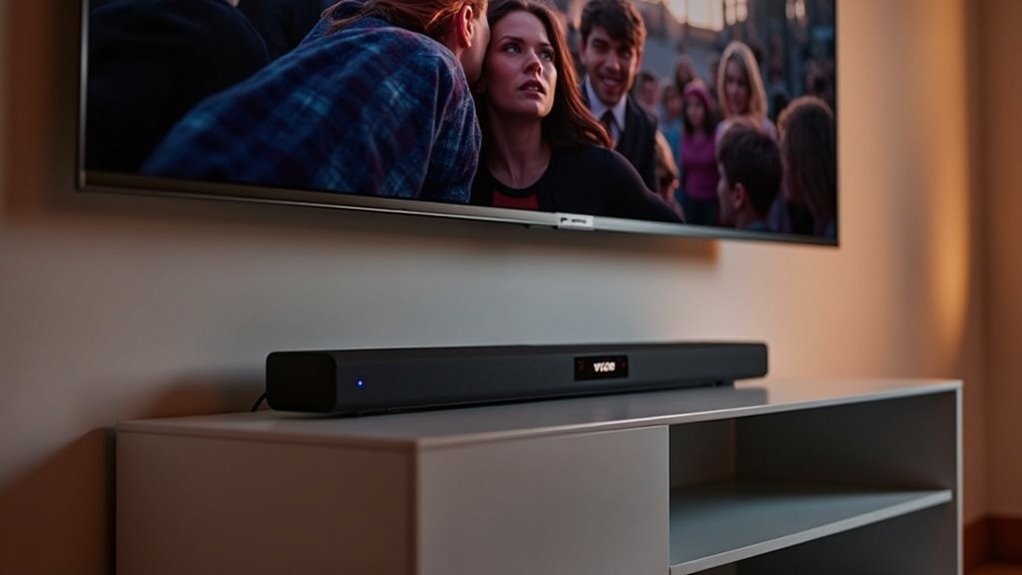
Yes, soundbars are compatible with Vizio TVs if you use the right connection types, such as HDMI ARC or optical cables. To ensure optimal performance, make sure to enable ARC and CEC in your TV settings. If you’re experiencing any issues, double-check your connections and confirm that your HDMI cable supports ARC. With the right soundbar, you can significantly enhance your audio experience. Stay tuned for recommendations on the best soundbars for Vizio TVs and tips for achieving the ideal setup.
Key Takeaways
- Most soundbars are compatible with Vizio TVs, particularly those equipped with HDMI ARC or optical connections.
- For the best audio experience, ensure that your Vizio TV has an HDMI port that supports ARC.
- Users often find that integrating soundbars with Vizio TVs is straightforward and results in impressive sound quality.
- To maximize audio output from the soundbar, it’s recommended to turn off the TV’s built-in speakers.
- If you encounter any sound issues, troubleshoot by checking all connections and ensuring that the cables used are compatible.
Understanding HDMI ARC Compatibility
When setting up your soundbar with a Vizio TV, understanding HDMI ARC compatibility can greatly enhance your experience.
HDMI ARC (Audio Return Channel) enables you to connect your soundbar using a single HDMI cable, which simplifies your audio setup. However, keep in mind that not all HDMI ports on your TV support ARC, so it’s important to check the specifications to identify the designated port.
HDMI ARC simplifies your audio setup by allowing a single cable connection, but ensure you identify the correct ARC-supported port on your TV.
Ensure that you enable ARC and CEC settings in the TV menu to achieve optimal functionality. If you happen to be using an older HDMI cable, consider upgrading to a high-speed HDMI cable that’s specifically designed for ARC.
Lastly, don’t forget to turn off the TV speakers for the best audio output through your soundbar.
Connection Types for Soundbars
There are several connection types available for linking soundbars to your Vizio TV, with HDMI ARC and optical connections being the most common. HDMI ARC simplifies your setup by allowing a single cable to transmit audio both ways, while optical connections deliver high-quality sound as well. Remember to check for ARC compatibility on your TV’s HDMI ports and use a compatible HDMI cable for the best experience.
| Connection Type | Benefits | Compatibility |
|---|---|---|
| HDMI ARC | Simplified setup | Most Vizio TVs |
| Optical | High-quality audio | All Vizio TVs |
| AUX | Easy to use | Most devices |
| Bluetooth | Wireless convenience | Selected models |
For optimal performance, consider your specific needs and the devices you plan to connect when choosing a soundbar connection type.
Recommended Soundbars for Vizio TVs
When it comes to enhancing your audio experience with soundbars, several models stand out as top recommendations for Vizio TVs.
Options like the Vizio SmartCast 38 and Yamaha YAS-108 not only deliver exceptional sound quality but also integrate seamlessly with your setup.
Let’s explore the best soundbar choices, compatible brands, and tips for a hassle-free connection to elevate your home entertainment system.
Best Vizio Soundbar Options
Finding the right soundbar to enhance your home audio experience can significantly improve your enjoyment of movies, music, and TV shows.
The Vizio SmartCast 38 3.1 Channel Soundbar System (SB3831-D) is a top contender, offering seamless compatibility with Vizio TVs and delivering superior sound quality.
Another excellent choice is the Vizio SB3621N-E8, which comes with a wireless subwoofer that ensures easy setup and powerful bass.
For those seeking versatility, the Yamaha YAS-108 is also a fantastic option, known for its impressive sound performance when paired with Vizio TVs.
These soundbars provide an exceptional surround sound experience, perfect for elevating your home entertainment while staying budget-friendly.
Compatible Brands Overview
While many users prefer sticking to one brand for their audio equipment, it’s essential to know that Vizio soundbars can seamlessly integrate with various TV brands, including Samsung and Sony.
One standout option is the VIZIO SmartCast 38 3.1 Channel Soundbar System (SB3831-D), which is highly recommended for its easy connectivity and impressive sound quality.
Users have successfully paired Vizio soundbars with non-Vizio TVs, achieving satisfactory audio performance.
To ensure optimal functionality, be sure to verify compatibility based on connection types, particularly HDMI ARC and optical, for a smooth experience with your soundbar.
Connection Setup Tips
To achieve the best audio experience with your Vizio TV, it’s essential to select a compatible soundbar and set it up correctly.
Begin by connecting the soundbar to the HDMI ARC port on your TV using an HDMI cable for optimal audio performance. Remember to disable your TV’s speaker settings to ensure sound is directed through the soundbar.
For a smoother installation experience, consider soundbars equipped with QuickFit technology. Always verify the soundbar’s compatibility with Vizio TVs, as some brands may not pair effectively.
Lastly, enable CEC settings on your Vizio TV to conveniently control the soundbar using your TV remote.
Troubleshooting Common Connection Issues
If you’re experiencing connection issues with your soundbar and Vizio TV, start by checking your HDMI connections.
Ensure you’re using an HDMI ARC-compatible cable and that it’s plugged into the correct HDMI port on your soundbar and TV.
Additionally, verify your audio settings on the TV to confirm everything is configured for optimal sound performance.
Check HDMI Connections
When troubleshooting connection issues between your soundbar and Vizio TV, checking the HDMI connections is essential.
First, ensure that the HDMI cable is securely plugged into the HDMI ARC input on your Vizio TV and the HDMI OUT port on the soundbar. This configuration is crucial for optimal audio transmission.
Additionally, confirm that your HDMI cable is ARC compatible, as older cables may not support this feature. Make sure you’re using the correct HDMI port designated for ARC on your TV.
To avoid audio conflicts, disable the TV speakers in the settings, allowing your soundbar to operate effectively.
Verify Audio Settings
Verifying your audio settings is essential for ensuring your soundbar functions seamlessly with your Vizio TV.
First, disable the TV speakers in the audio settings to route sound through the soundbar.
Next, enable the HDMI ARC feature in the TV menu and make sure you’re using the correct HDMI port designated for ARC.
Navigate to the CEC settings on your Vizio TV and enable both CEC and system audio control to improve communication between devices.
If sound issues persist, restart both the TV and soundbar, and consider checking for firmware updates to maintain compatibility.
User Experiences With Soundbar Compatibility
How do users feel about soundbar compatibility with their Vizio TVs? Most report a positive experience, enjoying seamless connections with various brands, including Sony. While many appreciate the flexibility offered by HDMI and optical cables, some express concerns about potential compatibility issues when mixing different brands. Here’s a quick overview of user experiences:
| User Feedback | Compatibility Insights |
|---|---|
| Easy integration | It’s important to check features before buying. |
| Satisfactory sound | Some issues reported with non-Vizio TVs. |
| Preference for Vizio brand | Personal preferences influence choices. |
| No major connection issues | Research can help ensure satisfaction. |
Tips for Optimal Sound Quality
To achieve the best sound quality from your soundbar setup, start by connecting your soundbar using HDMI ARC or an optical cable, as these options support higher audio formats.
Follow these tips for a superior soundbar experience:
- Adjust TV settings: Turn off your TV speakers to prevent sound conflicts.
- Position your soundbar: Place it at ear level, centered in front of your TV for effective surround sound.
- Utilize sound features: Make use of built-in sound optimization on your soundbar for tailored audio.
Regularly update the firmware for your soundbar to enhance compatibility and audio quality.







