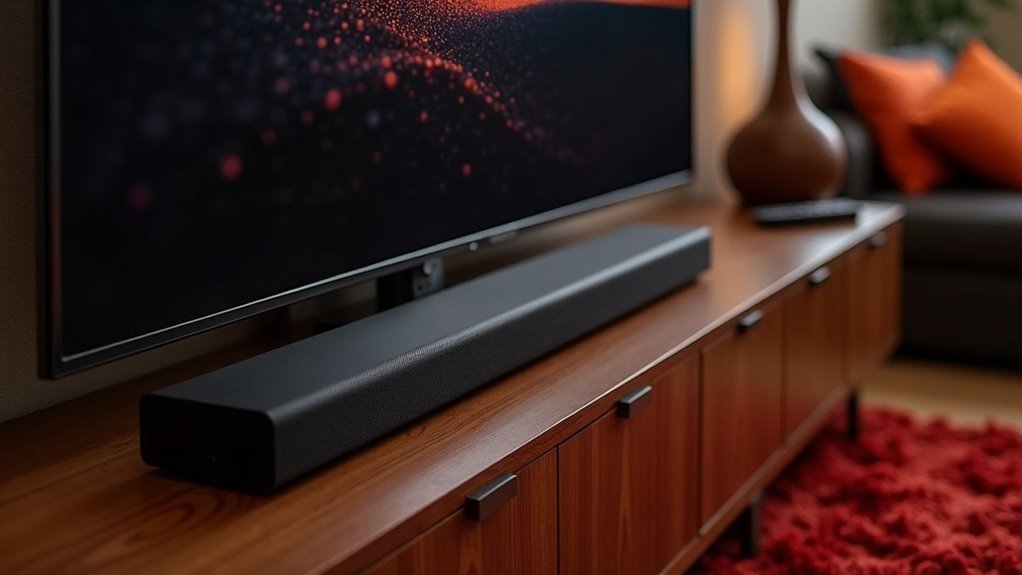
Yes, you can calibrate your soundbar without a phone app by using its built-in manual options and onboard settings. Many soundbars offer features like equalizer settings and test tone generation to help you adjust audio levels accurately. While manual calibration requires careful listening and adjustments, automatic calibration options found in some soundbars can simplify the process by analyzing room acoustics. For more effective solutions and tools, you might want to explore other calibration methods available specifically for soundbars.
Key Takeaways
- Yes, soundbars can be calibrated manually using remote controls or on-screen menus without the need for a phone app.
- Many soundbars feature built-in test tone generation for manual speaker level adjustments without external devices.
- Some soundbars include automatic calibration features that do not require a phone app, utilizing built-in microphones instead.
- External calibration microphones can be used for precise tuning without a smartphone, effectively enhancing sound quality.
- Professional calibration services are available, allowing for expert adjustments without relying on phone applications.
Understanding Soundbar Calibration
When you calibrate a soundbar, you’re optimizing its audio output to fit your room’s unique acoustics, greatly enhancing your listening experience.
Room calibration involves using built-in tools that often employ test tones and microphones to automatically adjust settings for clarity and balance. This process ensures that soundwaves interact correctly with your environment, providing a more immersive audio experience.
Room calibration utilizes built-in tools and microphones to enhance audio clarity and balance for a truly immersive experience.
Regular recalibration is essential, especially after rearranging furniture or changing room layouts. Some advanced soundbars even accept external calibration microphones, allowing for precise tuning without relying on mobile apps.
Ultimately, effective room calibration elevates your soundbar’s performance, ensuring it meets your listening needs.
Manual Calibration Options
Manual calibration options for soundbars provide a hands-on method to enhance audio performance without the need for mobile apps.
Users can access built-in equalizer settings through the remote control or on-screen menu, allowing for adjustments to bass, treble, and balance tailored to individual preferences.
Soundbars often include test tone generation features that enable playback of specific frequencies, facilitating manual calibration of speaker levels.
Proper positioning of the soundbar in relation to your TV and seating area is crucial for achieving immersive sound, making effective adjustments more achievable.
Regularly checking speaker placement and sound settings ensures optimal audio quality, empowering you to craft a captivating listening experience without relying on automated calibration tools.
Importance of Automatic Calibration
While many users might rely on their intuition for sound settings, automatic calibration plays a crucial role in enhancing audio performance in soundbars by adapting to the unique acoustics of your room.
This technology analyzes speaker configurations and room characteristics, ensuring a balanced audio experience. Modern soundbars often come equipped with built-in automatic calibration features, allowing you to achieve ideal sound without the need for external devices.
Limitations of Manual Calibration
Although manual calibration might seem like a straightforward solution for adjusting your soundbar, it often leads to imprecise audio settings. This method relies heavily on your subjective hearing, missing out on automated features that analyze room acoustics specifically for soundbars. Without a dedicated phone app, you can’t achieve real-time adjustments, resulting in inconsistent audio quality. Additionally, manual calibration often overlooks critical factors like speaker placement and room reflections unique to soundbars, making it difficult to create a balanced soundstage.
| Limitation | Impact |
|---|---|
| Subjective adjustments | Imprecise audio quality |
| No real-time adjustments | Inconsistent sound |
| Overlooks room dynamics | Unbalanced soundstage |
Using Onboard Settings for Adjustment
You can enhance your soundbar’s performance by utilizing its onboard settings, which provide options for manual adjustments of equalizer, bass, treble, and volume levels.
Many soundbar models also come equipped with built-in calibration tools that use test tones to effectively balance speaker output.
Manual Sound Adjustments
Manual sound adjustments on a soundbar allow for precise audio tuning directly through onboard settings, eliminating the need for a phone app. You can access these settings via the remote control or physical buttons, enabling you to fine-tune bass, treble, and volume levels according to your preferences and room acoustics.
Adjusting the distance settings for each speaker ensures ideal sound synchronization with your viewing position. Additionally, selecting preset sound modes enhances audio performance for different content types, making your soundbar experience even more enjoyable.
Remember to periodically revisit these manual sound adjustments to maintain ideal sound quality as your room layout or furniture placement changes.
Built-in Calibration Features
Built-in calibration features on soundbars significantly enhance audio performance by enabling users to optimize settings directly through the device’s onboard menus.
These systems typically use internal microphones to analyze room acoustics, automatically fine-tuning sound output for an ideal listening experience. You can easily initiate calibration using specific buttons or remote control options, allowing you to customize adjustments to your preferences.
Additionally, soundbars often come equipped with various sound modes and equalizer settings, enabling manual fine-tuning without the need for extra devices.
Regularly utilizing these built-in calibration features is essential for maintaining optimal sound quality, particularly after rearranging furniture or altering room layouts.
Benefits of Smartphone Calibration Apps
While many soundbars come with preset audio configurations, utilizing smartphone calibration apps offers significant advantages for achieving the best sound quality. These apps provide real-time analysis, allowing you to customize the sound output to your specific environment. By measuring sound levels and frequencies through your smartphone’s microphone, they ensure accurate calibration for an enhanced audio experience.
| Feature | Benefit |
|---|---|
| Real-time analysis | Customizes sound to your space |
| User-friendly interface | Simplifies the calibration process |
| Automatic calibration | Saves time and effort |
| Consistency maintenance | Adjusts for changes in your room |
Regular use of smartphone calibration apps ensures your soundbar delivers optimal audio performance, adapting seamlessly to any changes in your room’s acoustics.
Alternative Calibration Tools and Methods
While smartphone apps are commonly used for calibrating soundbars, there are several alternative tools and methods that can deliver effective results without relying on technology.
One such method involves using a calibration microphone, which is often provided with soundbars, to automatically adjust settings based on the specific acoustics of your room.
Additionally, a sound level meter can be employed to accurately measure and balance the sound output levels from each individual speaker.
For those who prefer a hands-on approach, test tone generators can be utilized to create specific audio frequencies for manual calibration.
Listening to reference tracks is another valuable technique that allows you to fine-tune bass, treble, and overall volume settings to your liking.
Lastly, ensuring optimal speaker placement and positioning can significantly enhance sound quality without the necessity for digital calibration tools.
Enhancing Your Audio Experience
To enhance your audio experience with a soundbar, it’s essential to focus on both the physical setup and the sound settings.
Start by experimenting with the soundbar’s positioning; for instance, place it directly below the TV for optimal sound projection. Use a calibration microphone or sound level meter to measure sound levels, ensuring balanced output for an immersive experience.
Adjust the equalizer settings on your soundbar to match room acoustics and personal preferences, greatly enhancing sound quality.
Regular maintenance and recalibration after any room layout changes will help sustain ideal audio performance and provide an enjoyable listening experience over time.







