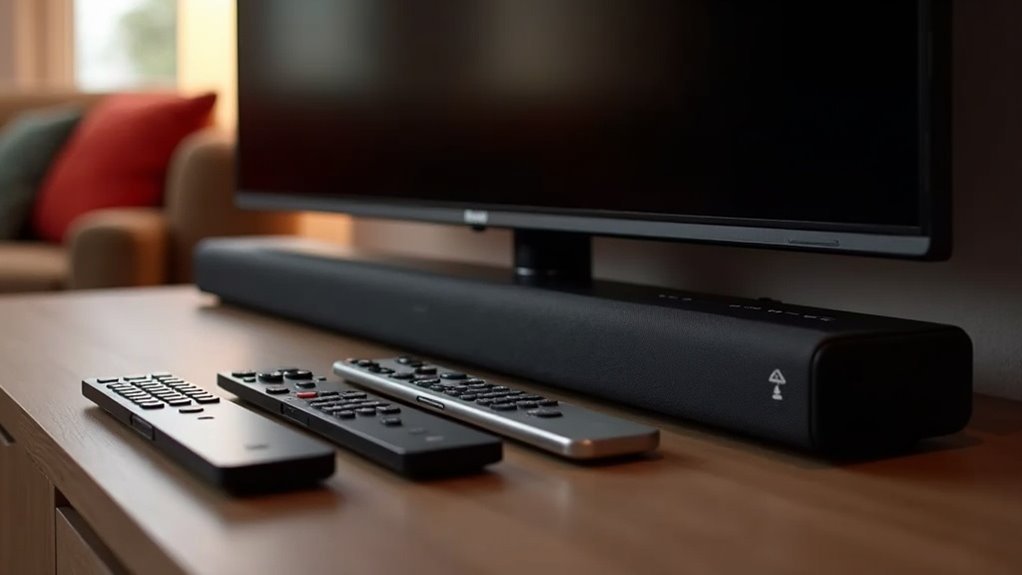
Most soundbars, like the Sonos Playbar, can only pair with one remote at a time. This limitation can create challenges when trying to control volume or mute functions while switching between devices. While some universal remotes may offer improved compatibility, technical constraints can still present issues. HDMI-CEC is a feature that can simplify remote control by allowing your TV remote to manage the soundbar’s volume; however, it’s essential that both devices support this feature. If you’re looking for workarounds or enhancements for your soundbar setup, there are plenty of options to explore.
Key Takeaways
- Most soundbars can typically learn and pair with only one remote at a time, which limits their multi-remote functionality.
- However, HDMI-CEC can simplify operation by allowing volume control through the TV remote, provided that both the soundbar and TV support this feature.
- Programmable remotes may offer some compatibility with soundbars, but they might not fully resolve all volume control issues experienced by users.
- Users often express frustration due to inconsistent mute functions and volume control when switching between different devices.
- To enhance multi-remote support and improve the overall user experience, software updates from manufacturers could be beneficial.
Understanding Soundbar Compatibility
When you’re choosing a soundbar, understanding its compatibility with your existing remotes is essential. Most soundbars, like the Sonos Playbar, can only learn one remote’s controls at a time, which can limit your volume control options.
While some users manage to program remotes to mimic the registered one, this isn’t always effective. Universal remotes, such as those from Logitech, often provide better compatibility, allowing you to control your soundbar alongside other devices.
The connection type—whether optical or HDMI-ARC—also impacts functionality, with HDMI-ARC enabling CEC features that allow for volume control from multiple remotes.
Be sure to explore your options to enhance your soundbar experience.
Limitations of Remote Control Functionality
Although soundbars are designed to enhance your audio experience, they often come with significant limitations when it comes to remote control functionality. For instance, the Sonos Playbar can only learn one remote at a time, which can make volume control cumbersome. Users frequently encounter inconsistent performance, particularly with the mute feature. Additionally, many soundbars, such as the Sonos, struggle with accepting multiple IR codes, complicating remote management. Here’s a summary of the limitations:
| Limitation | Description |
|---|---|
| Single Remote Pairing | Only one remote control can be programmed. |
| Inconsistent Functionality | Mute function often fails across remotes. |
| Volume Control Issues | Limited control when switching between devices. |
| IR Code Compatibility | Variability in programmable remotes affects usability. |
| Frustration Potential | Managing multiple devices can become challenging. |
The Role of HDMI-CEC in Remote Pairing
Navigating the limitations of soundbar remotes can be frustrating, but HDMI-CEC serves as an effective solution for enhancing remote control functionality.
By connecting your soundbar and TV with HDMI-CEC, you can easily control your soundbar’s volume using your TV remote, simplifying your overall experience.
Connect your soundbar and TV with HDMI-CEC to effortlessly control volume using just your TV remote.
This feature enables seamless operation without the hassle of juggling multiple remotes, as one remote can manage various functions such as power on/off and volume adjustments.
It’s crucial to confirm that both your soundbar and TV support HDMI-CEC to fully leverage this convenience.
Enabling HDMI-CEC can significantly streamline your soundbar setup and enhance user convenience, making your home entertainment experience more enjoyable.
User Experiences With Multiple Remotes
Many users find the limitations of controlling volume with multiple remotes frustrating when using soundbars like the Sonos Playbar.
This restriction often leads to dissatisfaction and prompts users to seek alternative soundbar options.
While some have turned to programmable remotes as a potential solution, this workaround doesn’t work for everyone, highlighting the need for better compatibility in soundbar systems.
Remote Control Limitations
When managing a soundbar like the Sonos Playbar, users often face challenges with remote controls, especially when attempting to operate multiple devices.
The Playbar is designed to learn the controls of only one remote at a time, which can lead to frustration when adjusting the volume using different remotes. Many users express dissatisfaction with these remote control limitations, as compatibility issues with programmable remotes fail to provide a universal solution.
Furthermore, technical constraints prevent the Playbar from accepting multiple IR codes, complicating the overall experience. Many users are hopeful for future software updates that could enhance functionality and better support their needs for multiple remote control options.
User Frustration Levels
User experiences with soundbars like the Sonos Playbar often highlight significant frustration due to the limitations of remote controls.
Many users report high frustration levels, primarily because the device can only learn and respond to one remote at a time. This restriction complicates setups involving multiple remotes, leaving users dissatisfied.
Some explore alternatives, seeking soundbars that support better multi-remote functionality. While a few find success with programmable remotes, the overall sentiment underscores the inconvenience.
Users are increasingly calling for software updates to enhance compatibility, aiming for a more seamless experience when managing their audio systems.
Workaround Solutions Available
While navigating the complexities of using multiple remotes for soundbars like the Sonos Playbar, users have uncovered various workaround solutions that improve control and convenience. Programmable remotes, such as those from Logitech Harmony, enable users to replicate codes for effortless volume adjustments. Additionally, some users have successfully synced remotes to operate on the same signal codes, allowing for simultaneous management of their soundbars.
| Solution Type | Description | User Feedback |
|---|---|---|
| Programmable Remotes | Easily control multiple devices | Positive experiences |
| Code Replication | Teach remotes to mimic existing ones | Mixed results |
| Community Tips | Shared troubleshooting advice | Valuable insights |
| Signal Syncing | Utilize the same codes across remotes | Generally effective |
Troubleshooting Remote Control Issues
When you encounter issues with your soundbar’s remote control, it’s crucial to identify common problems that might be affecting functionality.
Start by checking connections and ensuring your soundbar is recognized as a CEC device if using HDMI.
If complications continue, consider programmable remotes or consult your soundbar’s user manual for specific troubleshooting steps.
Common Remote Control Problems
Despite the convenience soundbars offer, such as the Sonos Playbar, users frequently encounter common remote control issues that can detract from their overall experience.
One major challenge is the Playbar’s limitation of learning only one remote at a time, which complicates the control of multiple devices like TVs and cable boxes.
Additionally, users often face inconsistent mute functionality across different remotes, highlighting potential compatibility issues.
While programmable remotes can assist in managing multiple devices, many users express frustration with volume control, largely due to the Playbar being recognized as a CEC device and the need for seamless integration with other components.
Addressing these remote control challenges is crucial for enhancing user satisfaction and the overall functionality of soundbars.
Effective Troubleshooting Techniques
How can you effectively troubleshoot remote control issues with your soundbar? Start by verifying connections and settings. Here are some techniques to take into account:
- Confirm that your soundbar is properly connected to your TV or other devices.
- Check if the soundbar is recognized as a CEC device, which enables shared control functionalities.
- Review the user manuals specific to your soundbar for compatibility and pairing instructions.
- Reprogram your remote using the appropriate codes, or consider using a universal remote that can be programmed to control multiple devices, including your soundbar.
- Test volume control with each remote to identify any functionality issues specific to your soundbar.
Workarounds for Enhanced Control
While navigating the complexities of controlling a soundbar alongside multiple devices can be frustrating, there are effective workarounds to enhance your audio experience.
Consider using programmable remotes like the Logitech Harmony to sync with your soundbar’s remote codes, allowing for seamless volume control. Some users find success in teaching their remotes to replicate signals from registered soundbar remotes, providing added flexibility.
Additionally, setting remotes to use the same IR signal codes can improve compatibility across devices. Exploring universal remotes with learning capabilities can further enhance your control over soundbars, ensuring you enjoy a more integrated audio experience.
Future Updates and User Requests
As users increasingly demand greater flexibility in controlling their soundbars, the need for software updates from manufacturers like Sonos becomes evident.
Many have expressed frustration with the Sonos Playbar’s limitations, particularly its inability to learn multiple IR codes for volume control.
Frustration mounts among users as the Sonos Playbar struggles with its inability to learn multiple IR codes for volume control.
Community discussions highlight essential user requests regarding soundbars, including:
- Support for multiple remote controls
- Enhanced compatibility with smart home systems
- Improved communication regarding update statuses
- User-friendly guidance for setup
- A streamlined feedback process for future enhancements
Addressing these requests could greatly enhance the user experience, ensuring modern soundbars meet the expectations of today’s tech-savvy consumers.







