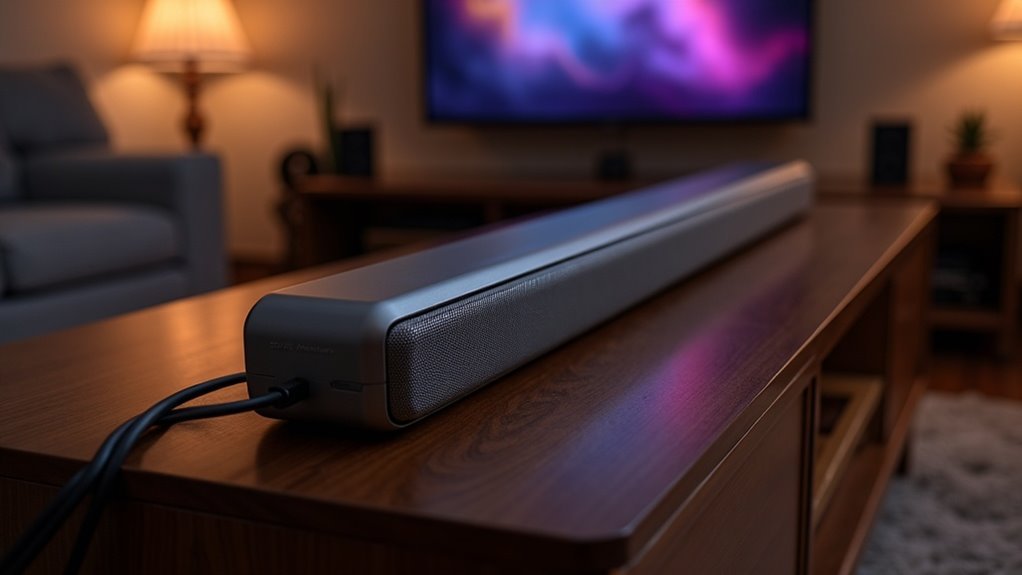
Yes, a soundbar can utilize Ethernet backhaul for Wi-Fi audio. By connecting your soundbar directly to your network with an Ethernet cable, you can enhance stability and reduce audio dropouts. This wired connection not only improves audio quality but also supports high-definition streaming, allowing your Wi-Fi bandwidth to be available for other devices. Be sure to check that your soundbar includes an Ethernet port and review the connection settings to achieve optimal performance. There’s plenty more to discover about the advantages and setup of Ethernet connections for soundbars.
Key Takeaways
- Yes, soundbars equipped with Ethernet ports can utilize Ethernet backhaul to connect to your network, leading to enhanced audio performance.
- By employing Ethernet backhaul, you can achieve greater audio stability and reduced latency, which minimizes the risk of dropouts during streaming.
- Connecting your soundbar via Ethernet can also free up Wi-Fi bandwidth, resulting in improved streaming quality, especially for high-definition audio formats.
- Wired connections often support higher bit rates, which significantly enhances sound clarity compared to wireless setups.
- To take full advantage of these benefits, ensure that your soundbar supports Ethernet connectivity and that it is set up correctly for optimal performance.
Understanding Ethernet Backhaul in Soundbars
While you might rely on Wi-Fi for most of your home audio needs, understanding Ethernet backhaul in soundbars can significantly enhance your listening experience.
Ethernet backhaul allows soundbars to connect directly to your network via a wired connection, greatly improving stability and reliability. This setup minimizes audio dropouts and latency, which are common in wireless configurations.
Many modern soundbars come equipped with Ethernet connectivity, allowing for seamless integration with your home network and enhancing multi-room audio capabilities.
Furthermore, Ethernet backhaul can boost streaming quality for high-definition audio formats by freeing up Wi-Fi bandwidth, while also enabling Boost mode for optimized communication with other devices, ultimately enriching your overall sound experience.
Benefits of Wired Connections for Audio Streaming
When you connect your soundbar via a wired Ethernet connection, you immediately gain access to a range of benefits that greatly enhance your audio streaming experience.
Connecting your soundbar with a wired Ethernet connection unlocks numerous benefits for an exceptional audio streaming experience.
- Stable Performance: Enjoy minimized latency and dropouts that are often associated with wireless connections, ensuring a smoother listening experience.
- Reduced Congestion: By offloading network traffic from Wi-Fi, you can improve performance for your soundbar and other connected devices, allowing for uninterrupted audio playback.
- High Bandwidth: Utilize Cat 6 cables to guarantee seamless high-definition audio streaming, delivering superior sound quality for all your favorite content.
- Boost Mode Operation: Optimize communication between your soundbar and other devices in your setup, enhancing streaming quality and reducing potential interference for a more immersive audio experience.
How to Set Up Ethernet for Your Soundbar
Setting up an Ethernet connection for your soundbar is straightforward and can greatly enhance your audio streaming experience.
First, ensure that your soundbar is equipped with an Ethernet port and supports wired connections. Connect an Ethernet cable from the soundbar’s port to your router or a nearby switch for a stable network connection. This setup reduces Wi-Fi congestion and improves audio quality.
After connecting, access the soundbar’s settings to confirm that the wired connection is recognized and adjust any necessary network settings.
For optimal performance, position your soundbar in a location where the Ethernet cable can connect easily, avoiding physical obstructions or interference from other devices’ Wi-Fi signals.
Comparing Wired vs. Wireless Audio Performance
Understanding the differences between wired and wireless audio performance is essential for optimizing your soundbar experience.
Wired connections offer distinct advantages that elevate the audio quality of your soundbar:
- Reduced latency and improved audio synchronization, ensuring that sound matches what you see on screen.
- Stable connections with fewer dropouts during streaming, providing uninterrupted listening.
- Higher bit rates for enhanced sound clarity, allowing you to fully appreciate your favorite music and movie soundtracks.
- Faster software updates and feature access, ensuring your soundbar stays current with the latest enhancements.
In contrast, wireless setups may struggle in congested environments, leading to interruptions and compromised audio fidelity.
Troubleshooting Ethernet Connection Issues With Soundbars
While Ethernet connections provide a reliable backbone for soundbars, troubleshooting any connectivity issues that arise is essential for maintaining peak audio performance.
Start by verifying that the Ethernet cable is securely connected and consider using known-good patch cables to eliminate potential faults. If your soundbar isn’t recognizing the wired connection, test it directly with the router to rule out any issues with switches or cables.
Regularly rebooting your network, including the soundbar, can help resolve temporary connectivity problems. Additionally, check for interference from nearby devices and confirm you’re connected to the correct access point to ensure maximum performance and reliable audio quality.







