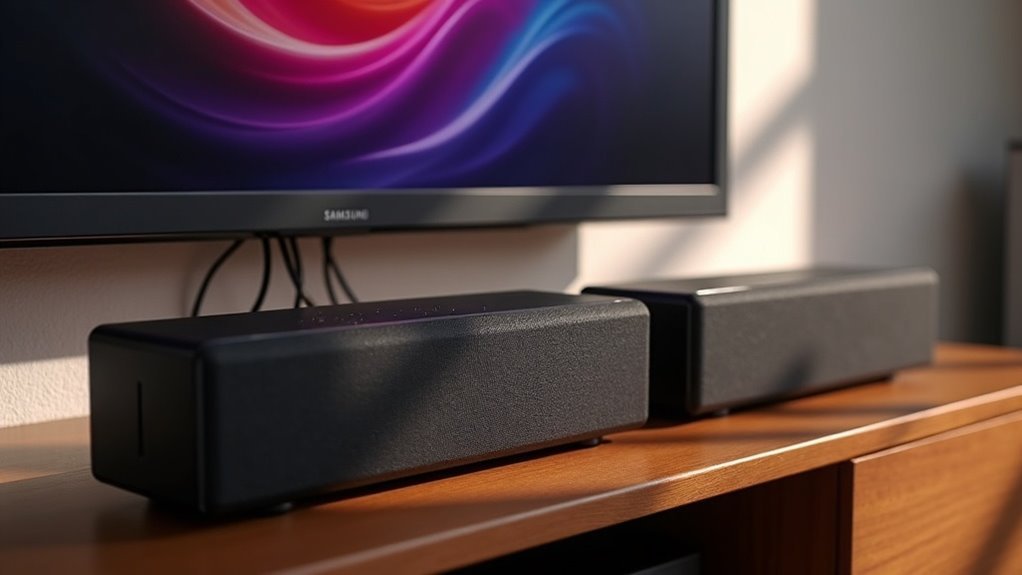
Yes, you can connect two Samsung soundbars together, but compatibility is crucial. Not all models work seamlessly together, so it’s important to check for compatibility first. You can utilize an optical splitter or an HDMI ARC connection for improved audio transmission. However, be aware of potential latency and sound quality issues that may arise. Proper placement and calibration are vital for an optimal audio experience. If you’re looking to enhance your audio setup further, there are additional connection methods and troubleshooting tips available to explore.
Key Takeaways
- Not all Samsung soundbars are designed for seamless integration, so compatibility must be verified before attempting to connect two soundbars.
- Using an optical splitter can allow both soundbars to receive audio from the TV without syncing issues.
- HDMI ARC can facilitate connection if both soundbars support this feature, simplifying the setup process.
- Adding a second soundbar may not significantly increase power, requiring careful calibration for balanced sound.
- Proper placement and consideration of room acoustics are crucial for optimizing sound quality with dual soundbars.
Understanding the Samsung Multiroom System
The Samsung Multiroom System transforms your audio experience by enabling seamless connectivity between multiple compatible soundbars and speakers in your home.
With the Samsung Multiroom app, you can easily control all your soundbars from one interface, allowing you to play the same or different audio in various rooms.
Connecting your Samsung soundbars to a home Wi-Fi network enhances this flexibility and sound quality.
For optimal performance, especially in larger homes, consider using the Samsung Wireless Hub to ensure stable audio delivery.
Setting up your soundbars is straightforward, and if you encounter any issues, check for speaker recognition and refer to the user guide or Samsung Support for assistance.
Compatibility of Samsung Soundbars
When exploring the compatibility of Samsung soundbars, it’s crucial to keep in mind that not all models are designed to work together seamlessly.
Generally, Samsung soundbars operate independently, and pairing two can lead to audio syncing issues. While some models support additional speakers via the Multiroom app, simultaneous output from two soundbars may not be feasible without specific configurations.
The Q Symphony feature does integrate extra wireless speakers but is limited to select models. Always verify compatibility with both soundbars and connection methods, as not every setup will guarantee peak performance or synchronization.
Connection Methods for Dual Soundbars
To connect two Samsung soundbars simultaneously, several effective methods can enhance your audio experience.
You can use an optical splitter, allowing both soundbars to receive the audio signal from your TV. Alternatively, connect one soundbar via optical cable and the other through HDMI, provided both support HDMI ARC.
If you want to include wireless subwoofers, be sure to test compatibility to avoid issues. For subwoofer connections, consider using a Y-cable or speaker wire, ensuring proper impedance and power handling.
Community feedback highlights that a splitter is a budget-friendly solution while maintaining sound quality in your dual soundbar setup.
Sound Quality Considerations
While adding a second soundbar can enhance your audio setup, it’s essential to consider how sound quality may be impacted. Soundbars are primarily designed as standalone units, so you might notice only a limited increase in overall power.
Proper placement of dual soundbars can improve soundstage and clarity, enhancing your listening experience. Expecting a significant volume increase from the second soundbar requires careful calibration for balanced output.
Additionally, connection methods like optical splitters or HDMI can introduce latency if not configured correctly, while room acoustics and space constraints play a vital role in achieving the best sound quality.
Troubleshooting Connection Issues
Connecting two Samsung soundbars can sometimes lead to frustrating connection issues, particularly if compatibility isn’t checked beforehand.
Start by ensuring both soundbars are compatible with your TV; some models mightn’t support simultaneous connections. If using optical cables, consider an optical splitter to avoid pairing problems and sound degradation.
Utilizing HDMI ARC for one soundbar while connecting the other via optical or auxiliary can simplify your setup. If you encounter connectivity issues, consult the user manual for specific reset procedures tailored to soundbars.
Finally, to tackle audio lag or dropouts, confirm both soundbars are updated to the latest firmware for optimal troubleshooting and sound performance.
Community Insights and Experiences
Numerous users have shared their success stories about connecting two Samsung soundbars, often highlighting the benefits of using an optical splitter for simultaneous audio output.
Here are some valuable insights from the community regarding dual soundbar setups:
- Placement Matters: Proper positioning enhances sound quality and bass performance, making it crucial for optimal audio experience.
- Caution with Subwoofers: Some users encountered pairing issues with two wireless subwoofers; thorough testing is essential for achieving the best results.
- Budget-Friendly Solutions: Many recommend Y-cables or splitters as practical and cost-effective options for creating dual soundbar configurations.
Future of Samsung Soundbar Connectivity
As Samsung continues to innovate, future soundbar models will likely enhance compatibility with existing systems, making it easier for you to connect multiple devices in your home audio setup.
You can expect improvements in wireless technologies that will streamline your experience and reduce pairing issues.
With features like Q Symphony and AI enhancements, Samsung aims to elevate your audio experience, even when using multiple soundbars, ensuring that each component works seamlessly together for optimal sound quality.
Enhanced Compatibility Features
Samsung is preparing to introduce enhanced compatibility features that will revolutionize the way you connect and enjoy soundbars.
With these advancements, you’ll find it easier to create immersive audio environments tailored to your preferences. Here are some highlights to anticipate:
- Eclipsa Support: The upcoming Q990F soundbar will support a new 3D audio format, elevating your listening experience to new heights.
- Q Symphony Integration: Effortlessly connect up to three additional wireless speakers for enhanced sound distribution throughout your space.
- AI Enhancements: With features like Dynamic Base Control, sound quality will be optimized across multiple soundbars for an unparalleled audio experience.
Get ready for a more versatile audio setup that perfectly aligns with your needs!
Future Wireless Innovations
As the realm of audio technology continues to advance, future Samsung soundbars are set to revolutionize connectivity with their cutting-edge wireless features. The anticipated Q990F model aims to enhance your home theater experience by incorporating AI-driven sound management and facilitating seamless synchronization with additional speakers. Enjoy improved stability and minimized connectivity issues, making it effortless to connect multiple sound sources.
| Feature | Benefits |
|---|---|
| Q Symphony | Syncs multiple wireless speakers |
| Advanced psychoacoustics | Optimizes audio across devices |
| Versatile connection options | Supports various audio formats |
These innovations are designed to elevate your home entertainment experience, providing superior enjoyment and service for all.







