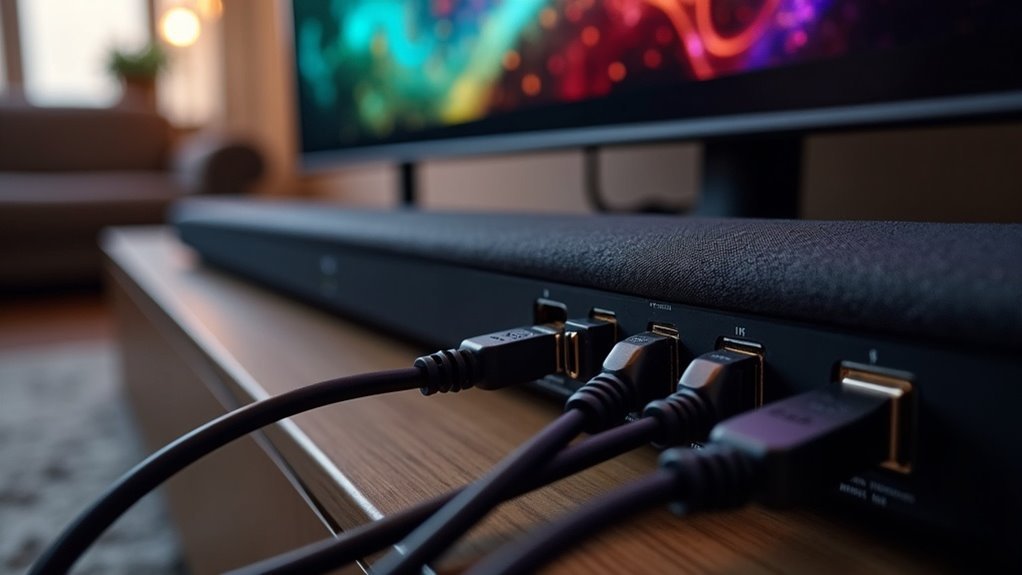
The soundbar HDMI handshake protocol is crucial for ensuring seamless communication between your soundbar and other devices, thus optimizing audio and video performance. This protocol is particularly important when configuring advanced formats like Dolby Atmos, as it helps to prevent common issues such as blank screens or audio disruptions. To minimize handshake problems with your soundbar, make sure to check all connections, keep your firmware updated, and enable HDMI-CEC on your devices. A solid understanding of the HDMI handshake process can significantly enhance your audio experience and improve the overall performance of your soundbar setup. Explore more about troubleshooting frequent handshake issues to elevate your soundbar experience further.
Key Takeaways
- The HDMI handshake protocol is crucial for soundbars as it establishes communication between them and source devices, ensuring optimal video and audio settings.
- A successful handshake is essential for proper configuration of advanced audio formats like Dolby Atmos and DTS:X, which enhance the listening experience.
- Issues during the handshake process can lead to problems such as blank screens, flickering audio, and synchronization issues, affecting the overall performance of the soundbar.
- To resolve handshake issues, power cycling the devices and using high-quality HDMI cables can refresh the connection and improve functionality.
- Additionally, activating HDMI-CEC and ensuring compatible settings across all devices can enhance the handshake process and ultimately improve user experience with the soundbar.
Understanding HDMI Handshake
When you connect a source device, like a Blu-ray player, to a soundbar, the HDMI handshake process kicks in to establish a seamless connection.
This essential process allows both devices to communicate their capabilities, ensuring compatibility for video resolutions and audio formats.
However, HDMI handshake problems can lead to frustrating issues like blank screens or flickering audio.
HDMI handshake issues can cause frustrating problems, including blank screens and flickering audio.
When multiple devices are involved, these problems may worsen.
To troubleshoot, power cycle your devices, check HDMI connections, and confirm that both the soundbar and the source device support each other’s specifications for a successful handshake and optimal audio performance.
Importance of Soundbar HDMI Handshake
The HDMI handshake protocol is crucial for ensuring your soundbar operates seamlessly with your source devices, significantly enhancing your audio experience.
Here are some important points to consider:
- It establishes a reliable connection for optimal signal transmission.
- Successful handshakes automatically configure advanced audio formats such as Dolby Atmos and DTS:X.
- Soundbars equipped with HDMI ARC streamline connections and help reduce cable clutter in your entertainment setup.
- Issues with handshakes can lead to problems such as no audio, synchronization issues, or devices not being recognized.
To ensure smooth HDMI handshakes and avoid compatibility or performance issues, it’s essential to keep the firmware on both your soundbar and source devices up to date.
Common Handshake Issues With Soundbars
You might encounter signal loss challenges when connecting your soundbar, particularly if the HDMI ARC feature isn’t correctly set up on both your soundbar and TV.
Compatibility issues may also arise due to varying HDMI versions or the absence of HDMI-CEC support, which can disrupt audio transmission.
It’s crucial to address these common handshake problems to ensure optimal sound quality and functionality from your soundbar.
Signal Loss Challenges
While soundbars significantly enhance your audio experience, they can encounter various handshake issues, especially with HDMI-ARC connections.
These challenges may include:
- Loose HDMI connections that disrupt the signal.
- Outdated firmware that leads to compatibility problems.
- Mismatched settings between the soundbar and the TV.
- Increased handshake attempts with multiple devices resulting in audio dropouts.
To address these issues, ensure that HDMI-CEC is enabled in both your soundbar and TV settings.
Furthermore, using high-quality HDMI cables that comply with the latest standards can greatly improve signal integrity and minimize HDMI handshake failures, ensuring a more seamless audio experience.
Compatibility With Devices
When connecting a soundbar to various devices, ensuring compatibility is essential to avoid common handshake issues.
Soundbars typically use HDMI ARC to receive audio, requiring both your soundbar and TV to support HDMI-CEC for effective communication. Incompatible firmware versions can hinder the HDMI handshake, causing ARC features to malfunction.
Additionally, using low-quality HDMI cables may disrupt signal transmission; always opt for high-speed cables that support ARC. If your TV sends an unsupported audio format, you might experience handshake failures.
Power cycling both devices can often resolve these temporary issues and help re-establish a successful HDMI connection.
Troubleshooting Soundbar HDMI Handshake Problems
To effectively troubleshoot HDMI handshake problems with your soundbar, start by ensuring that the HDMI ARC (Audio Return Channel) feature is enabled on both your soundbar and TV.
Follow these steps:
- Power cycle all connected devices by unplugging them for at least 30 seconds.
- Use a high-speed HDMI cable that supports ARC, checking for any damage.
- Verify that HDMI-CEC (Consumer Electronics Control) is enabled on both your soundbar and TV.
- Connect the soundbar directly to a different HDMI port on the TV to isolate the issue and test with other devices.
These actions can help restore proper HDMI handshake communication, ensuring that your soundbar delivers the best audio experience.
Tips for a Successful HDMI Handshake
To achieve a successful HDMI handshake with your soundbar, start by checking the compatibility of your soundbar with all devices in your setup.
Next, ensure that all cable connections are secure to prevent signal loss or interference.
Paying attention to these factors can greatly enhance your audio performance and ensure seamless integration with your TV and other devices.
Check Device Compatibility
Before you connect your soundbar to a source device, it’s essential to check their compatibility to ensure a smooth HDMI handshake.
Here are four key points to consider for optimal soundbar performance:
- Confirm both your soundbar and source device support HDMI ARC for ideal audio transmission.
- Check that both devices utilize HDMI 2.0a or higher for features like HDR, enhancing your listening experience.
- Verify HDMI-CEC is enabled on both devices to allow for seamless control of your soundbar.
- Inspect your HDMI cable to ensure it’s adequately shielded and meets specifications for the best audio quality.
Secure Cable Connections
Securing cable connections is crucial for a successful HDMI handshake with your soundbar, as even minor disruptions can lead to signal issues.
Ensure that all HDMI cables are firmly connected to their respective ports; loose connections can disrupt the handshake process. Regularly inspect your cables for any visible damage or wear, as this can also cause handshake failures.
If you experience connectivity issues with your soundbar, power cycle all connected devices by unplugging them for at least 30 seconds. Test different HDMI ports on both your soundbar and TV, and make sure HDMI-CEC is enabled in the settings of both devices to ensure optimal communication during the handshake process.
The Role of EDID in HDMI Handshake
While establishing an HDMI connection for your soundbar, the Extended Display Identification Data (EDID) plays a crucial role in ensuring smooth communication between your source device and the soundbar.
Establishing an HDMI connection for your soundbar relies on EDID for effective communication between devices.
Here are key aspects of EDID in the context of soundbars:
- Format Communication: EDID provides information on supported video and audio formats, ensuring your soundbar can play the content correctly.
- Compatibility Assurance: It ensures both the source device and soundbar can work together seamlessly, preventing any compatibility issues.
- E-EDID Benefits: Enhanced EDID increases data capacity, allowing for more detailed vendor information and capabilities tailored for soundbars.
- Troubleshooting Aid: A correct EDID helps to avoid handshake problems, such as incorrect audio output, ensuring optimal sound performance.
Understanding EDID’s function is essential for maximizing your soundbar’s capabilities and preventing potential HDMI handshake failures.
Advanced Solutions for Handshake Failures
When dealing with HDMI handshake failures specific to soundbars, implementing advanced solutions can greatly enhance connectivity and performance.
First, ensure that HDMI-CEC is enabled on both your soundbar and TV, as this can improve control and reduce handshake issues.
Power cycling your devices by unplugging them for 30 seconds often refreshes the HDMI handshake process.
Additionally, using high-quality HDMI cables that support ARC and have sufficient bandwidth for audio formats like Dolby Atmos can minimize failures.
If problems continue, try connecting the soundbar directly to the source device, such as a Blu-ray player, to determine if the issue stems from the TV’s HDMI ports or settings.
Best Practices for Soundbar Connections
To achieve peak performance and reliability in soundbar connections, it’s essential to follow best practices that enhance the HDMI handshake process.
Here are four key recommendations for soundbar users:
- Use an HDMI cable that supports ARC (Audio Return Channel) for seamless audio transmission to your soundbar.
- Activate HDMI-CEC (Consumer Electronics Control) in both your TV and soundbar settings for unified control of devices.
- Choose high-quality, well-shielded HDMI cables to prevent signal interference, ensuring the best audio experience from your soundbar.
- Regularly update the firmware on your soundbar and connected devices to maintain compatibility with the latest HDMI standards and features.







