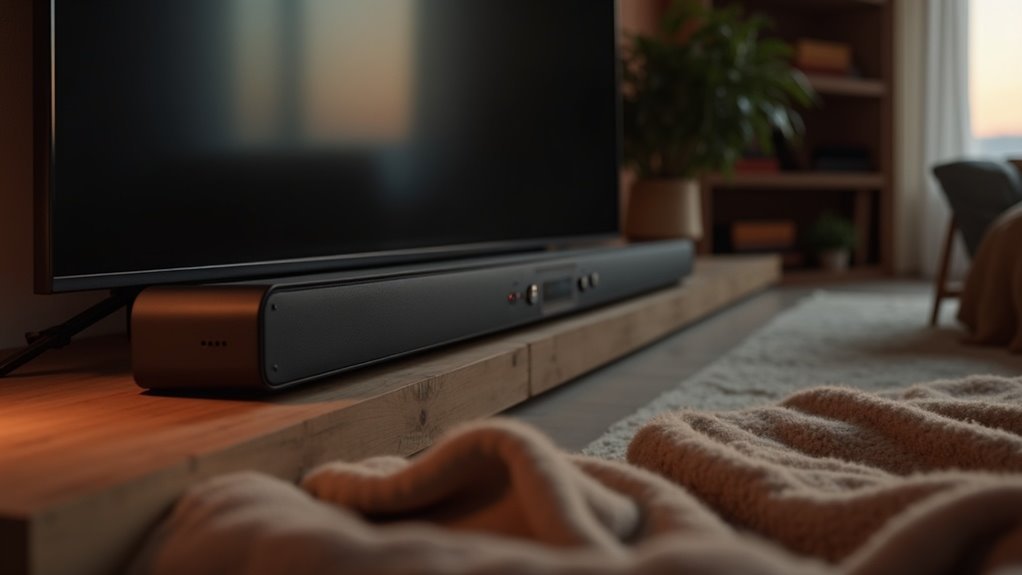
To enhance dialogue clarity on your soundbar, enable dialogue enhancement modes and utilize dedicated center channels. Adjust the equalizer settings to boost upper midrange frequencies for improved intelligibility. Make sure to disable night mode to avoid sound compression that hinders clarity. You should also explore options like dynamic range reduction and stereo audio modes specific to your soundbar model. For the best results, consider adjusting room acoustics, which can further refine your listening experience with your soundbar. There are additional strategies available to maximize clarity tailored to soundbars.
Key Takeaways
- Enable Dialogue Enhancement Mode in your soundbar settings to improve clarity of spoken words.
- Adjust the equalizer to boost upper midrange frequencies for better intelligibility.
- Disable night mode to prevent sound compression that hinders dialogue clarity.
- Use Stereo or Normal audio modes for enhanced vocal clarity in sound output.
- Incorporate acoustic treatments in your room to minimize reflections and improve overall sound quality.
Understanding Dialogue Enhancement Features
When you watch your favorite shows, understanding dialogue enhancement features in soundbars can significantly elevate your viewing experience.
Many soundbars, such as those from Samsung, include dedicated voice enhancement modes that boost midrange frequencies, enhancing dialogue clarity without increasing overall volume. For instance, models like the Zvox AccuVoice AV157 isolate voice frequencies and provide multiple boost levels, making them particularly suitable for users with hearing aids.
Additionally, presets like Dialogue Boost work to minimize background noise, allowing speech to stand out. By adjusting equalizer settings to elevate upper midrange and higher frequencies, you can further improve voice intelligibility.
Furthermore, LG’s Clear Voice modes are specifically designed to target spoken dialogue, ensuring a clearer listening experience that enhances your enjoyment of content.
Adjusting TV Audio Settings for Clarity
To enhance dialogue clarity when using your soundbar, you should enable the Dialogue Enhancement Mode within the soundbar’s audio settings.
Additionally, adjusting the equalizer settings to boost upper midrange frequencies will further sharpen voice intelligibility.
Together, these adjustments can notably improve your overall listening experience, especially during dialogue-heavy scenes.
Enable Dialogue Enhancement Mode
Enabling dialogue enhancement mode on your soundbar can significantly enhance your viewing experience by clarifying spoken words. Access your soundbar’s audio settings to enable this feature, often labeled as “Dialogue” or “Speech Boost.” It’s important to disable night mode, as it compresses sound and can hinder voice clarity. Instead, switch to “Stereo” or “Normal” audio modes for improved intelligibility. Many soundbars come equipped with built-in voice-enhancement technology that isolates dialogue frequencies for even better clarity.
| Setting Type | Purpose | Impact on Clarity |
|---|---|---|
| Dialogue Enhancement | Boosts speech frequencies | Improves understanding |
| Night Mode | Compresses sound | Hinders comprehension |
| Stereo Mode | Simplifies audio output | Enhances vocal clarity |
Adjust Equalizer Settings
How can you guarantee ideal clarity in dialogue when enjoying your favorite shows on a soundbar?
Start by adjusting the equalizer settings on your device. Focus on boosting the upper midrange and higher frequencies to enhance dialogue clarity.
Look for presets like “Dialogue” or “Speech Boost” within your soundbar’s audio settings to further improve voice reproduction.
Disable “night mode” to avoid volume fluctuations that can obscure speech.
If surround sound compromises dialogue intelligibility, switch your soundbar’s output mode to “Stereo” or “Normal.”
Finally, utilize dynamic range reduction to balance loud and soft sounds, making dialogue easier to hear consistently.
Exploring Soundbar Options for Better Dialogue
While many soundbars enhance overall audio quality, selecting one specifically designed for improved dialogue clarity can significantly elevate your viewing experience.
The best soundbars for dialogue often incorporate dedicated center channels and advanced voice-enhancement modes, such as Samsung’s Voice Enhancement and LG’s Clear Voice Pro, which amplify midrange frequencies for clearer dialogue.
Many top soundbars feature dedicated center channels and voice-enhancement modes to amplify midrange frequencies for clearer dialogue.
Models like the Zvox AccuVoice AV157 excel in voice-boost features, while the Roku Streambar enhances voice intelligibility.
Additionally, soundbars like the Samsung HW-Q900A utilize Active Voice Amplifiers, but it’s important to consider user feedback about sound quality changes to effectively enhance dialogue clarity.
Benefits of Wireless Headphones
As you enhance your audio experience with soundbars, it’s worth considering how wireless headphones can complement that setup by providing a flexible and personalized listening option. Many wireless headphones support Bluetooth connectivity, allowing for seamless pairing with your soundbar for improved sound quality. Additionally, specialized models, like TV listeners, can amplify dialogue frequencies, making them ideal for viewers who may have difficulty hearing. This feature can enhance the overall experience of watching movies or shows with a soundbar, ensuring that clarity and comprehension are prioritized.
| Feature | Benefit |
|---|---|
| Bluetooth Connectivity | Hassle-free audio setup with your soundbar |
| Dialogue Amplification | Enhanced clarity for better comprehension in shows and movies |
| Personalization | Tailored audio settings for individual comfort |
Incorporating wireless headphones into your soundbar setup can truly elevate your audio experience.
Connecting Hearing Aids to Your TV
Connecting a soundbar to your TV can greatly enhance your viewing experience by providing superior audio quality.
To achieve this, you’ll need to follow the proper connection process, whether through HDMI ARC, optical cable, or Bluetooth, depending on your soundbar’s features.
Each option ensures clear sound transmission, allowing you to enjoy immersive sound effects and dialogue clarity while watching your favorite shows.
Bluetooth Pairing Process
To enhance your audio experience, pairing a modern soundbar with your TV can greatly improve sound clarity, particularly for dialogue.
Follow these steps to connect your devices effectively:
- Confirm Bluetooth is enabled on both the soundbar and the TV.
- Navigate to the Bluetooth settings menu on your TV to locate your soundbar.
- Follow the manufacturer’s instructions for successful pairing.
- Use soundbar apps for personalized sound adjustments, enhancing dialogue frequencies.
Be mindful of compatibility issues in multi-user households to confirm seamless audio transmission between the TV and your soundbar.
Media Streamer Options
While modern televisions often come equipped with Bluetooth capabilities, enhancing your audio experience with soundbars requires the right options. Soundbars can significantly improve your audio output, providing a richer sound experience while watching TV or streaming your favorite shows. Consider the following options:
| Soundbar | Compatibility | Sound Features |
|---|---|---|
| Soundbar A | Brand 1 | Customizable EQ |
| Soundbar B | Brand 2 | Limited Sound Modes |
| Soundbar C | Brand 3 | Advanced Surround Sound |
| Soundbar D | Universal | Basic Settings |
| Subwoofer System | All Soundbars | Enhanced Bass |
Using these options, you can customize sound settings for an ideal listening experience.
Utilizing Closed Captioning for Better Comprehension
How can a soundbar enhance your viewing experience? A soundbar provides a powerful audio solution that significantly improves sound quality, especially for dialogue and action scenes in movies and shows.
By utilizing a soundbar, you can better immerse yourself in the content, ensuring you capture every detail of the audio.
- Enhanced clarity in dialogue for easier comprehension
- Improved bass response for an engaging listening experience
- Easy setup and sleek design that complements your home theater
- Great for late-night viewing without disturbing others
Incorporating a soundbar not only elevates the audio experience but also enriches your understanding of the narrative and atmosphere in films and shows.
Room Acoustics and Their Impact on Sound
Room acoustics significantly impact the sound quality delivered by your soundbar. Hard surfaces can reflect sound waves, which often muddles audio and impairs dialogue clarity.
To enhance your listening experience, it’s essential to identify first reflection points and adjust your seating arrangements accordingly to minimize sound delays. By pulling your seating away from walls, you can reduce these reflections, allowing sound waves to reach you without obstruction.
Incorporating sound treatments, such as acoustic panels or area rugs, can effectively address issues caused by hard surfaces, resulting in a more enjoyable and immersive listening experience.
Additional Tips for Improving TV Dialogue Clarity
Optimizing room acoustics enhances overall sound quality, but you can take further steps to guarantee dialogue clarity when using soundbars for your TV.
If you’re having trouble understanding dialogue, consider these tips:
- Access your soundbar’s audio settings for modes like Dialogue or Speech Boost.
- Disable “night” mode on the soundbar to reduce volume fluctuations that impact comprehension.
- Explore soundbars with advanced voice-enhancement technology, such as features offered by Samsung or Zvox.
- Adjust equalizer settings on your soundbar to focus on upper midrange frequencies for clearer voices.
These strategies can significantly improve TV dialogue clarity through your soundbar, ensuring you enjoy every conversation without missing a word.







