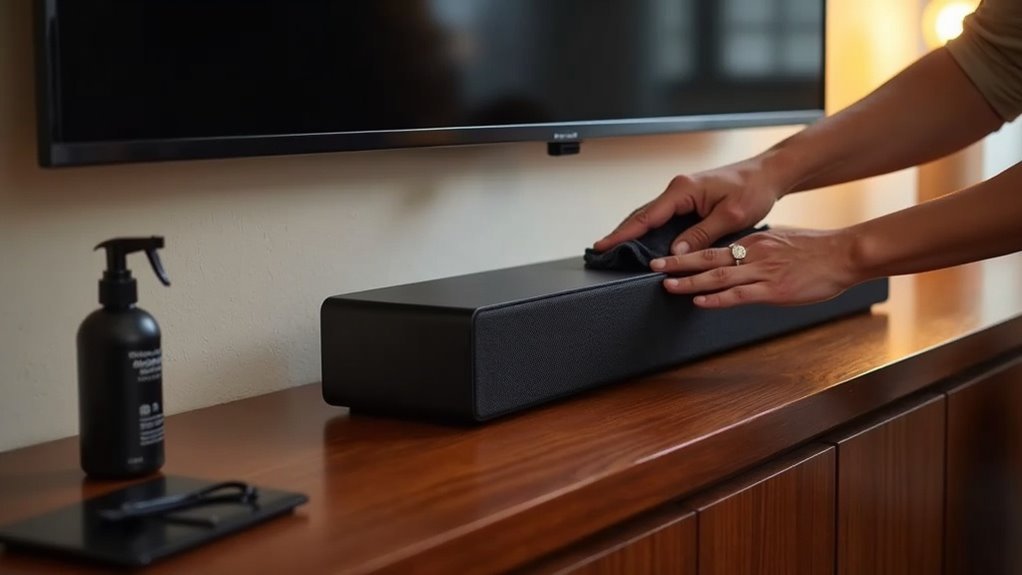
To keep your soundbar reliable, regularly clean it to prevent dust buildup, especially on grilles and vents. Stay on top of firmware updates to enhance performance and fix bugs specific to soundbars. Place the soundbar away from walls and obstructions to ensure proper airflow for optimal sound delivery. Manage cables to avoid clutter, and inspect them regularly for any signs of damage. Finally, power it off properly to avoid data corruption and ensure longevity. If you want to discover more about maintaining peak sound quality in your soundbar, keep going.
Key Takeaways
- Regularly clean your soundbar with a soft, dry cloth to prevent dust buildup that can impact sound quality.
- Keep the firmware updated by visiting the manufacturer’s website for the latest enhancements and bug fixes.
- Position the soundbar away from walls and direct sunlight to allow for proper airflow and reduce the risk of overheating.
- Organize and inspect cables regularly to prevent fraying and loose connections, which can compromise sound quality.
- Use the power button to turn off the soundbar instead of unplugging it directly, as this helps prevent data corruption and extends the device’s lifespan.
Dust It Off (the Right Way)
Maintaining your soundbar’s performance starts with keeping it clean. Regular cleaning prevents dust accumulation that can hinder sound quality and lead to overheating.
Use a soft, dry cloth to gently wipe away surface dust, avoiding rough materials that scratch the finish. For stubborn smudges, slightly dampen the cloth, but keep moisture away from the speaker areas to avert damage.
Incorporate a vacuum or can of compressed air to clear dust from the speaker grilles regularly. Establishing a consistent cleaning schedule ensures your soundbar not only looks great but also delivers peak audio performance for years to come.
Stay Updated With Firmware
After verifying that your soundbar is clean and free of dust, it’s crucial to ensure its software is kept up to date. Regularly check the manufacturer’s website or companion app for any firmware updates. Adhering to the manufacturer’s recommendations for USB updates is vital to prevent functionality issues. If available, consider enabling auto-updates to streamline maintenance and ensure your soundbar operates with the latest software. Remember, updating firmware not only enhances performance but can also fix existing bugs. Keeping a record of update dates is helpful for tracking maintenance history, which can be beneficial for future troubleshooting.
| Action | Frequency |
|---|---|
| Check for updates | Monthly |
| Update firmware | As needed |
| Document updates | After each update |
| Enable auto-updates | If available |
| Follow instructions | Always |
Place It Where It Can Breathe
Proper placement of your soundbar is essential for peak performance. To guarantee it functions at its best, consider the following:
Proper placement of your soundbar is crucial for optimal performance and sound quality.
- Position it away from walls or obstructions to ensure optimal airflow.
- Avoid direct sunlight to prevent overheating and maintain sound quality.
- Mount securely to prevent tipping during use and ensure stability.
- Allow a few inches of space around it for enhanced cooling and performance.
- Regularly check for dust accumulation around vents to keep your soundbar operating efficiently.
Manage Those Pesky Cables
While managing cables might seem like a minor detail, it plays an essential role in your soundbar’s performance and longevity. Organizing cables using Velcro ties or sleeves can help reduce clutter and enhance airflow, preventing overheating that could affect sound quality.
Regularly inspect your soundbar’s cables for frays or loose connections to identify potential issues early, ensuring optimal audio performance. Replace any damaged cables promptly to guarantee reliable connections, as worn cables can degrade the sound signals.
Consider utilizing wireless options like Bluetooth or Wi-Fi to minimize cords and streamline your setup. Lastly, label your cables for easy identification, simplifying maintenance and enabling quicker troubleshooting of any connectivity problems that may arise with your soundbar.
Don’t Blast the Volume All the Time
To maintain your soundbar’s performance and longevity, it’s crucial to avoid blasting the volume at all times.
Keeping volume levels moderate helps prevent speaker strain, enhances sound quality, and extends the lifespan of your device.
Here’s a maintenance checklist to consider:
- Prevent overheating of internal components
- Avoid costly repairs or replacements
- Utilize a subwoofer for enhanced bass without excessive volume
- Minimize distortion for a more enjoyable listening experience
- Regularly adjust volume based on the type of content
Turn It Off Properly
To ensure your soundbar operates smoothly, it’s essential to always use the power button or the remote control to turn it off properly.
Avoid unplugging the device directly, as this can lead to data corruption.
Regularly powering down the soundbar when not in use will also help conserve energy and extend its lifespan.
Power Button Use
Using the power button on your soundbar or remote control is crucial for a proper shutdown. This practice ensures optimal performance and maintains the reliability of your audio-visual experience.
Keep these key points in mind:
- Prevent damage to internal components.
- Avoid data corruption from improper shutdowns.
- Check for firmware updates regularly.
- Use the power button for unresponsive soundbars.
- Turn off when not in use to save energy.
Unplug When Idle
Powering down your soundbar properly is just the beginning; unplugging it when it’s not in use can significantly enhance its longevity and performance.
Unplugging prevents overheating and reduces the risk of damage from power surges, protecting your soundbar’s internal components. Additionally, this practice minimizes dust accumulation and shields against environmental factors that can hinder sound quality.
Regularly unplugging can also reset internal systems, resolving minor connectivity issues that may arise. For optimal convenience, consider using a power strip with an on/off switch to easily disconnect your soundbar.
These simple steps can considerably extend the life of your device while ensuring it operates at peak functionality.
Avoid Abrupt Shutdowns
When you turn off your soundbar, it’s crucial to do so properly to prevent potential issues. Abrupt shutdowns can damage the audio quality and lead to firmware problems.
Follow these tips for a safe shutdown:
- Use the remote control or power button for convenient operation.
- Allow the shutdown sequence to complete fully before disconnecting.
- Avoid unplugging the soundbar immediately after turning it off.
- Regularly check for firmware updates to maintain optimal performance.
- Adhere to the manufacturer’s guidelines for best practices.
Taking these steps will help ensure the longevity and reliability of your soundbar.







