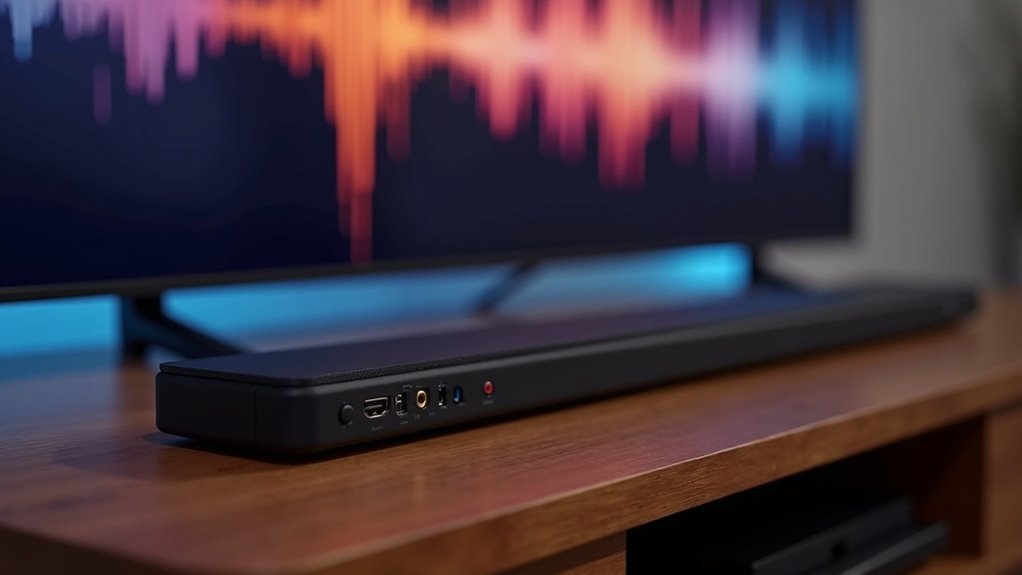
The most reliable soundbar connection is HDMI, particularly HDMI-ARC or HDMI eARC. This connection type provides superior audio quality, supports uncompressed formats like Dolby Atmos, and simplifies your setup with just one cable. HDMI connections offer the highest bandwidth, resulting in enhanced clarity without interference. While optical connections can deliver clean sound, they have limitations in format support and may encounter synchronization issues. To truly optimize your audio experience with soundbars, it’s essential to understand the different connection types available.
Key Takeaways
- HDMI is the most reliable connection for soundbars, delivering high-quality digital audio and supporting advanced formats like Dolby Atmos and DTS:X.
- Optical connections offer clean sound with minimal interference; however, they are limited to older audio formats and may experience sync issues.
- Bluetooth provides a convenient wireless option but can compromise audio fidelity, making it a less reliable choice for high-quality sound.
- HDMI-ARC and eARC simplify setups by reducing clutter while ensuring consistent audio performance and compatibility with modern devices.
- Regular firmware updates and secure cable connections can enhance reliability, regardless of the connection method chosen for your soundbar.
The Basics of Soundbar Connections
When setting up your soundbar, you typically have three connection options: HDMI, optical, and Bluetooth.
HDMI stands out for transmitting high-quality digital audio and video, supporting advanced formats like Dolby Atmos.
Optical cables, while providing clean digital sound transfer, are limited to compressed 5.1 surround sound formats and lack HDMI’s convenience of Audio Return Channel, which lets you control the soundbar with your TV remote.
Bluetooth offers a wireless alternative but often sacrifices audio fidelity.
For the best surround sound experience with your soundbar, prioritize HDMI; however, if compatibility issues arise, optical cables serve as a reliable backup.
HDMI: The Superior Choice for Soundbars
HDMI is the premier connection method for soundbars, delivering exceptional audio quality and ease of use.
With HDMI ARC, you can experience uncompressed audio formats such as Dolby Atmos and DTS:X, significantly enhancing your soundbar’s performance. This connection simplifies the setup process by allowing both audio and video signals to be transmitted through a single cable, reducing clutter in your entertainment space.
Experience uncompressed audio formats with HDMI ARC, simplifying your setup and enhancing your soundbar’s performance.
When compared to optical connections, HDMI supports higher bitrates and wider bandwidth, resulting in a richer sound experience and improved clarity.
Most modern TVs and soundbars are equipped with HDMI ports, ensuring compatibility and offering user-friendly features like lip-sync compensation and the convenience of controlling your soundbar with your TV remote.
Understanding HDMI-ARC and HDMI Earc
HDMI-ARC simplifies your audio setup with soundbars by allowing a single cable to transmit sound from your TV directly to the soundbar, making remote control more convenient.
In contrast, HDMI eARC takes this experience to the next level with increased bandwidth, enabling support for advanced audio formats and built-in lip-sync compensation for seamless playback.
To fully benefit from eARC, both your TV and soundbar need to be eARC compatible, a feature commonly found in newer soundbar models.
HDMI-ARC Basics Explained
While many soundbar enthusiasts seek streamlined setups, understanding the intricacies of HDMI-ARC and its enhanced counterpart, HDMI eARC, is vital for achieving ideal sound quality. Here’s what you should know:
- HDMI-ARC simplifies connections, allowing your TV to send audio back to the soundbar, making it easier to enjoy your favorite shows or music.
- HDMI eARC supports higher bitrates and uncompressed audio formats, enhancing audio quality considerably for a more immersive listening experience.
- Compatibility is essential; eARC is backward compatible with ARC devices, but to leverage eARC’s full capabilities, verify that both your TV and soundbar are eARC compatible.
With this knowledge, you’re better equipped to optimize your soundbar experience for the best audio performance.
Benefits of HDMI Earc
When considering an upgrade to your soundbar, the benefits of HDMI eARC become clear, particularly when compared to its predecessor, HDMI ARC.
HDMI eARC supports uncompressed audio formats like Dolby Atmos and DTS:X, providing exceptional surround sound quality that enhances your listening experience. Its higher bandwidth allows for the transmission of true surround sound without any loss, ensuring an immersive audio experience that complements your favorite movies and music.
Additionally, eARC includes built-in lip-sync compensation, which effectively eliminates audio lag and keeps the sound perfectly synchronized with video playback.
Moreover, eARC is backward compatible with HDMI ARC, making it a smart and practical upgrade for your existing soundbar setup.
To fully take advantage of eARC’s capabilities, make sure that both your TV and soundbar support the eARC standard.
Compatibility Considerations for Earc
Understanding the compatibility between HDMI-ARC and HDMI eARC is essential for optimizing your soundbar experience. Here’s what you need to know:
- HDMI eARC offers superior sound quality and supports advanced audio formats like Dolby Atmos, enhancing your soundbar’s performance.
- Both HDMI-ARC and eARC are backward compatible, allowing connections between different soundbar models and devices.
- Confirm your soundbar supports HDMI eARC to fully leverage enhanced audio capabilities and enjoy the best sound quality possible.
Optical Connections: Advantages and Limitations
Optical connections serve as a reliable method for transmitting high-quality audio digitally, particularly for those using soundbars with older audio devices and televisions that lack HDMI ports. They support compressed 5.1 surround sound formats, ensuring minimal interference. Here’s a quick overview of their advantages and limitations:
| Advantages | Limitations |
|---|---|
| Plug-and-play setup | Prone to damage |
| Clean sound quality | Limited to older audio formats |
| No electrical interference | Potential voice synchronization issues |
| Compatible with legacy systems | Lacks support for advanced formats |
While optical connections excel in simplicity and can enhance your soundbar experience, you might encounter some drawbacks that affect your overall viewing and listening enjoyment.
Comparing Audio Quality: HDMI vs. Optical
While optical connections can enhance audio quality for soundbars, HDMI connections elevate the audio experience significantly by supporting lossless audio formats like Dolby Atmos and DTS:X.
Here’s why you should consider HDMI cables over optical connections for your soundbar:
- Uncompressed Audio: HDMI delivers uncompressed audio, providing a richer sound experience that truly complements your soundbar.
- Higher Sample Rates: It supports higher sample rates and bit depths, ensuring detailed audio quality that enhances your listening experience.
- Future-Proofing: HDMI’s compatibility with advanced sound systems makes it a reliable choice for long-term use with your soundbar.
For the best audio quality with your soundbar, HDMI connections are the more dependable option.
Connecting Your Soundbar: Step-by-Step Guide
To connect your soundbar effectively, start by choosing the right connection method—either HDMI, optical, or Bluetooth—based on your equipment and audio quality preferences.
| Connection Type | Setup Steps | Audio Quality |
|---|---|---|
| HDMI Cable | Plug into ARC/eARC on TV & OUT on soundbar | Excellent, supports Dolby Atmos |
| Optical Connection | Connect optical OUT on TV & IN on soundbar | Good, limited features |
| Bluetooth Connection | Activate pairing mode & select on TV | Fair, lower quality |
Ensure your TV’s audio settings recognize the connection for optimal performance. Always check compatibility for advanced features like Dolby Atmos to enhance your sound experience.
Troubleshooting Common Connection Issues
After establishing the connection to your soundbar, you might encounter some common issues that can disrupt your audio experience. Here are a few troubleshooting tips specifically for soundbars:
- Ensure all cables are firmly connected to prevent audio dropouts from your soundbar.
- Verify you’ve selected the correct input source on both your TV and soundbar to ensure seamless audio playback.
- Check for firmware updates for both your soundbar and TV to avoid any compatibility issues.
If you’re using an optical connection, make sure the cable is securely attached, as it may not click in place.
For HDMI connections, confirm you’re using a cable that supports ARC or eARC to achieve maximum audio performance from your soundbar.







