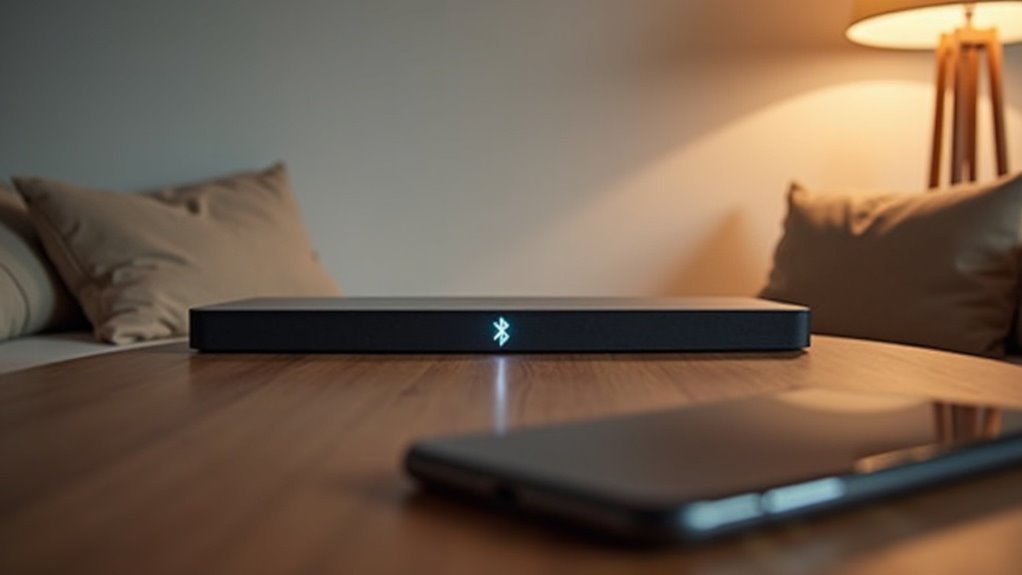
Yes, a soundbar can work with Bluetooth only if your devices support Bluetooth connectivity. This wireless setup helps reduce clutter and offers convenience for your audio experience. However, it’s important to note that Bluetooth may compress audio quality, which could limit sound to stereo rather than multichannel. If you’re connecting to a non-Bluetooth TV, you might want to consider alternative methods such as HDMI or optical connections to achieve superior audio fidelity. Explore various options to enhance your sound experience with a soundbar.
Key Takeaways
- A soundbar can work with Bluetooth only if the connected device is Bluetooth-capable.
- Non-Bluetooth devices cannot connect directly to a Bluetooth soundbar.
- Bluetooth connections may compress audio quality, impacting sound fidelity.
- For optimal audio performance, consider using wired connections instead.
- Regular firmware updates enhance Bluetooth connectivity and reduce potential issues.
Understanding Soundbars and Bluetooth Connectivity
When you’re looking to enhance your audio experience with soundbars, understanding how they connect via Bluetooth is essential. A Bluetooth soundbar requires Bluetooth-capable devices for wireless connectivity, meaning that non-Bluetooth devices can’t connect directly.
To pair your soundbar, activate pairing mode on both the soundbar and your transmitting device, such as a smartphone or compatible TV. It’s important to note that audio output quality may be compromised due to compression with Bluetooth, whereas wired connections like optical or HDMI provide superior fidelity.
If you have a non-Bluetooth TV, consider using a Bluetooth adapter to bridge the gap, enabling a seamless wireless connection to your soundbar.
Advantages of Using Bluetooth for Soundbar Connection
Bluetooth connectivity offers several advantages when connecting a soundbar, making it an appealing choice for many users.
First, it provides a wireless setup, reducing clutter and allowing for a cleaner entertainment area, which is essential for creating an optimal soundbar environment. You can easily connect your soundbar to various devices like smartphones and tablets, facilitating seamless audio streaming that enhances your listening experience.
A wireless setup minimizes clutter, allowing for a cleaner space and effortless connections to your devices for an enhanced audio experience.
The pairing process is typically quick and straightforward, often requiring just a few steps, which is perfect for those who want to enjoy their soundbar without hassle. Additionally, Bluetooth allows for flexible placement of your soundbar, so you can position it away from the TV without worrying about cable lengths, giving you more freedom in your home setup.
Many modern Bluetooth soundbars also support advanced codecs, enhancing your audio experience and ensuring high-quality sound output.
Limitations of Bluetooth Audio Quality
While enjoying the convenience of wireless soundbars, you may encounter certain limitations in audio quality. Bluetooth audio often compresses the sound signal, which can degrade overall sound quality compared to wired connections.
Standard Bluetooth typically restricts audio transmission to stereo, lacking support for multichannel formats like Dolby Digital 5.1, which are essential for a more immersive viewing experience. Additionally, lower bitrates can result in less detail and clarity, impacting the richness of the sound.
You might also face lip-sync issues due to latency, which can detract from your enjoyment of movies and shows. The audio quality you perceive can vary based on your sensitivity and the specific Bluetooth codec used, with some codecs offering better performance than others.
It’s important to consider these factors when choosing a soundbar to ensure that you achieve the best audio experience possible.
How to Pair a Bluetooth Soundbar With Your TV
Pairing your Bluetooth soundbar with your TV is a straightforward process that enhances your audio experience, but it requires a few essential steps to ensure compatibility and connection.
First, make sure both your soundbar and TV are powered on and ready. Then, navigate to your TV’s settings to select the soundbar from the Bluetooth speaker list.
If you encounter any issues, troubleshooting the connection can help resolve compatibility problems and ensure a seamless audio experience tailored to your soundbar setup.
Bluetooth Pairing Process
Connecting your soundbar to your TV can greatly enhance your audio experience, and it’s a simple process.
First, ensure both devices are in pairing mode—look for the “BT READY” display on your soundbar.
Next, access your TV settings, navigate to the sound section, and select the Bluetooth speaker list.
For soundbar models from 2020-2021, you can press the Bluetooth PAIR button on the remote or hold the Source button to initiate pairing.
Older models from 2019-2017 also use the Source button.
Finally, confirm the connection by checking for a prompt on your soundbar that indicates a successful Bluetooth connection.
Enjoy your improved sound quality!
Device Compatibility Check
Ensuring your Bluetooth soundbar is compatible with your TV is the first step toward an enhanced audio experience.
Check if your TV supports Bluetooth; if not, a Bluetooth adapter will be essential. To pair, activate the pairing mode on your soundbar, usually by pressing the Bluetooth PAIR button or holding the Source button until it shows BT READY.
Then, access your TV’s settings, navigate to Sound, and find the Bluetooth Speaker List to select your soundbar. Keep both devices close during the process.
Once paired, you’ll receive confirmation on both devices, confirming that your audio input is now routed through the soundbar, allowing you to enjoy superior sound quality while watching your favorite shows and movies.
Troubleshooting Connection Issues
When pairing your Bluetooth soundbar with your TV, it’s crucial to ensure that both devices are in pairing mode. Typically, this involves pressing the Bluetooth PAIR button on the remote or the Source button on the soundbar.
After that, check your TV’s audio output settings to ensure Bluetooth is enabled and select your soundbar from the Bluetooth Speaker List. If your soundbar doesn’t appear, try resetting it by turning it off and then on again, and re-enter pairing mode.
Make sure to keep the soundbar within 30 feet of the TV to avoid any connection issues. If you continue to experience problems, consider using a Bluetooth adapter to achieve a more stable connection.
Alternative Connection Methods for Non-Bluetooth TVs
If your TV lacks Bluetooth, you can still enjoy high-quality audio by connecting it to a soundbar using wired options such as a 3.5mm jack, RCA, or optical Toslink cables.
These connections provide reliable audio performance.
Alternatively, you might consider using a Bluetooth adapter to convert your TV’s audio output into a Bluetooth signal, allowing you to connect wirelessly to your soundbar.
Just ensure that your soundbar supports the specific connection method you choose for optimal sound quality.
Wired Connection Options
Connecting a soundbar to a non-Bluetooth TV can be straightforward with several wired options available. You can achieve superior audio quality using Digital Audio Out (Optical) or HDMI (ARC). If your soundbar has audio input ports, it’s easy to connect via 3.5mm jacks or RCA cables. Here’s a quick overview tailored for soundbars:
| Connection Type | Description |
|---|---|
| HDMI (ARC) | Delivers high-quality digital audio, ideal for soundbars |
| Optical | Provides excellent sound quality, enhancing your audio experience |
| RCA | Standard connection for older TVs, compatible with many soundbars |
| 3.5mm Jack | Common audio input for easy connectivity to soundbars |
| AUX | Versatile option for connecting various audio devices to soundbars |
Ensure compatibility for a successful soundbar setup!
Using Bluetooth Adapters
For those looking to elevate their sound experience with soundbars, Bluetooth adapters provide an excellent solution for TVs that lack Bluetooth connectivity. By simply plugging the adapter into your TV’s audio output, you can enjoy wireless audio streaming from your soundbar, enhancing your overall viewing experience.
Here’s what you need to keep in mind:
- Ensure compatibility with your TV’s audio output options, such as headphone jacks or RCA connections.
- Select Bluetooth adapters that align with your soundbar’s Bluetooth specifications for optimal performance.
- Activate pairing mode on both your soundbar and the adapter for a smooth and hassle-free connection.
With a budget-friendly Bluetooth adapter, you can easily transform your sound setup, allowing for high-quality audio streaming that enhances your enjoyment of movies, music, and more—all without the clutter of wires.
Recommendations for Optimal Audio Performance
Achieving ideal audio performance with your soundbar requires careful consideration of your connection method. For the best sound quality, opt for a wired connection like HDMI (ARC) or optical, as these deliver superior audio fidelity with minimal compression.
If you choose Bluetooth, be aware that it may limit your audio to stereo output, potentially undermining the immersive surround sound experience that soundbars can provide. To enhance clarity and reduce lip-sync issues, use a Bluetooth adapter that supports aptX Low Latency.
Finally, make sure to regularly update the firmware of both your soundbar and TV to ensure optimal compatibility and performance, especially when relying on Bluetooth connections for audio.
User Experiences With Bluetooth Soundbars
While many users appreciate the convenience of Bluetooth soundbars for wireless audio streaming, their experiences reveal a mix of satisfaction and frustration.
- Bluetooth connections can suffer from lip-sync errors and disconnections due to distance or interference.
- Users often find that wired connections, such as optical or HDMI, provide superior audio quality.
- Those without Bluetooth-enabled devices may need to invest in additional adapters for compatibility.
In casual settings, Bluetooth soundbars shine for their ease of use, making them an attractive option for those who prioritize convenience.
Bluetooth soundbars excel in casual environments, offering unmatched convenience for users who value simplicity in audio streaming.
However, audiophiles typically lean toward wired solutions, prioritizing sound fidelity over the convenience that Bluetooth offers.
Ultimately, your choice of soundbar will depend on your audio quality needs and preferences.
Keeping Your Devices Updated for Better Connectivity
Maintaining up-to-date firmware on your soundbar is essential for enhancing your Bluetooth connectivity experience. Regular firmware updates not only resolve connectivity issues but also improve performance, ensuring you enjoy seamless audio playback.
Many manufacturers release updates that boost Bluetooth compatibility, reducing problems like audio lag or disconnection. To simplify the process, check your soundbar’s settings menu for built-in update features.
Keeping your soundbar updated not only enhances its functionality but also introduces new features, elevating your overall audio experience. Stay proactive with updates to guarantee that your soundbar works optimally, delivering the best possible entertainment experience.







