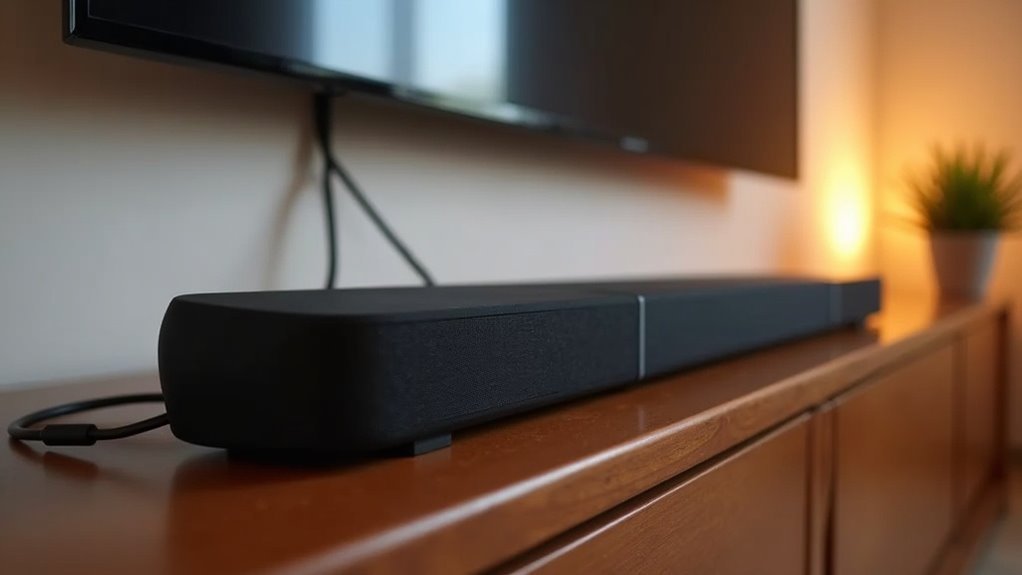
Yes, a soundbar can work with optical connections only, allowing you to enjoy enhanced audio. However, it’s important to note that optical connections have limitations, such as support for only up to 5.1 surround sound and the inability to handle advanced audio formats like Dolby Atmos. In contrast, HDMI offers superior audio quality and supports higher-resolution formats. To maximize your audio experience with your soundbar, consider exploring additional options and tips for an ideal setup and future-proofing your home audio system.
Key Takeaways
- Yes, a soundbar can work with optical audio connections if both the soundbar and the TV support it.
- Optical connections can handle up to 5.1 surround sound, but they do not support advanced audio formats like Dolby Atmos.
- To set up, simply connect the optical cable and adjust the TV’s audio settings to ‘optical out.’
- It’s important to note that optical cables can be fragile and may limit compatibility with future audio formats compared to HDMI connections.
- For better future-proofing, consider choosing a soundbar that offers multiple connectivity options, including HDMI.
Understanding Optical Audio Connections
When you connect your soundbar using an optical audio cable, you’re tapping into a high-quality digital audio experience ideal for enhancing your home entertainment setup.
Optical audio connections utilize fiber optic cables, delivering sound signals digitally while minimizing interference found in analog setups. Most soundbars feature optical audio inputs, making it easy to link them with TVs and gaming consoles for an immersive audio experience.
Optical audio connections use fiber optics for digital sound delivery, reducing interference and enhancing your entertainment experience.
These cables support up to 5.1 surround sound formats, perfect for most home theater systems and enhancing the audio quality of your soundbar. The plug-and-play nature simplifies installation, requiring just a connection to each device’s ports.
Keep in mind, optical audio doesn’t transmit video, so a separate connection is necessary for video output to ensure a seamless viewing experience.
Limitations of Optical Connections for Soundbars
While optical connections offer a reliable way to link soundbars to your devices, they come with several limitations that can affect your audio experience.
Optical cables typically support only up to 5.1 surround sound formats, leaving out advanced options like Dolby Atmos, which many modern soundbars utilize for enhanced audio immersion. Additionally, some TVs may not pass digital surround sound signals through optical outputs, leading to compromised audio quality.
Optical cables can also be fragile and more prone to damage, resulting in potential connection issues. Furthermore, you miss out on essential features like ARC (Audio Return Channel), which can limit convenience and functionality.
Ultimately, compatibility issues can arise with soundbars designed exclusively for HDMI connections, making it important to consider your setup before choosing an optical connection.
Benefits of Using HDMI for Audio
Using HDMI for audio with your soundbar provides a range of benefits that can considerably enhance your home entertainment experience.
HDMI cables transmit both high-definition audio and video signals, simplifying connections with just one cable. This technology supports advanced audio formats like Dolby Atmos and DTS:X, delivering superior sound quality that makes the most of your soundbar’s capabilities compared to optical connections.
HDMI cables streamline your setup by transmitting high-definition audio and video, unlocking advanced formats like Dolby Atmos for exceptional sound quality.
Unlike optical cables, HDMI carries lossless audio formats, ensuring you enjoy higher sample rates and bit depths for a more immersive listening experience.
Additionally, HDMI often features ARC (Audio Return Channel) for seamless communication and control between your TV and soundbar.
Plus, you can connect multiple devices through a single interface, reducing clutter and improving setup convenience for your audio system.
How to Connect Your Soundbar Using Optical
To connect your soundbar using optical, begin by inserting one end of the optical audio cable into your TV’s optical output and the other end into the soundbar’s optical input.
Make sure to remove any protective covers or plastic plugs before making the connection.
After connecting, navigate to your TV’s audio settings and select ‘optical out’ to ensure proper audio output.
Additionally, confirm that your soundbar is set to the correct input source for optimal sound performance.
Optical Cable Setup
Connect your soundbar effortlessly with an optical cable by following a few simple steps.
First, remove the protective cover from the optical cable. Ensure both your soundbar and TV have accessible optical input and output ports, removing any plastic plugs.
Plug one end of the optical cable into the soundbar’s optical input, noting the input option for easy selection later. Connect the other end to the TV’s optical output, aligning it correctly to prevent damage.
Finally, access your TV’s audio menu, select the ‘optical out’ option, and disable the TV speakers for ideal sound output.
Enjoy your enhanced audio experience with your soundbar!
Troubleshooting Connection Issues
If you’re experiencing sound issues after setting up your soundbar with an optical cable, there are several troubleshooting steps you can take specifically for soundbar connections.
First, ensure that the optical audio cable is securely connected to both the TV’s optical output and the soundbar’s input.
Next, navigate to your TV’s audio menu and select the ‘optical out’ option, making sure to disable the TV speakers if necessary.
It’s also important to confirm that the correct audio input source is active on your soundbar.
If the sound issues persist, check that the optical port on any connected devices is enabled.
Potential Workarounds for Enhanced Audio
If your soundbar setup is limited by your TV’s lack of an optical port, consider using an analog converter to connect your soundbar directly.
You can also utilize an RCA to 3.5mm cable for a simple connection from your TV’s headphone jack to your soundbar.
Alternatively, if both your TV and soundbar support wireless audio transmission, exploring Bluetooth options can provide a seamless audio experience.
Analog Converter Options
While many soundbars rely solely on optical inputs, you can still enhance your audio experience by using an analog to optical converter. This device allows you to connect your TV, which might only have a 3.5mm audio output, to a soundbar that requires optical inputs.
When choosing a converter, make sure it supports your TV’s audio output format and your soundbar’s input requirements for ideal compatibility. Some models feature built-in amplification to boost the audio signal before it reaches the soundbar.
Always check user reviews and specifications to confirm that the converter delivers the desired audio quality and functionality, ensuring that your soundbar setup sounds its best.
Bluetooth Audio Solutions
For those looking to elevate their audio experience, soundbars equipped with Bluetooth audio solutions offer a convenient way to connect wirelessly. Many modern soundbars feature Bluetooth functionality, allowing them to seamlessly pair with compatible TVs, smartphones, or tablets. If your TV supports Bluetooth audio output, you can easily connect it to your soundbar for an enhanced sound experience. Alternatively, if your TV lacks Bluetooth, a Bluetooth transmitter can be connected to its optical port, enabling audio streaming to your soundbar. While Bluetooth provides flexibility and ease of use, it’s important to be aware of potential audio latency compared to optical connections.
| Device Type | Connection Method | Notes |
|---|---|---|
| TV | Bluetooth | Supports wireless audio |
| Soundbar | Bluetooth | Easy pairing |
| Bluetooth Transmitter | Optical port | Enables wireless audio |
| Smartphone | Bluetooth | Stream directly |
| Tablet | Bluetooth | Convenient for music |
RCA Direct Connection
An RCA direct connection can greatly enhance your audio experience when optical options aren’t available, making it a practical choice for soundbar users.
By using an RCA to 3.5mm audio cable, you can connect your TV’s headphone jack to the soundbar. This method utilizes stereo output, which improves audio quality compared to built-in TV speakers, although it won’t provide surround sound.
Ensure that your soundbar is set to the correct input source to receive audio from the cable. This cost-effective solution is simple to implement, but keep in mind that RCA connections don’t support advanced formats like Dolby Atmos, which require HDMI or optical connections for optimal performance.
Comparing Audio Quality: Optical vs. HDMI
When comparing audio quality between optical and HDMI connections specifically for soundbars, it’s clear that HDMI offers significant advantages. While optical can support up to 5.1 surround sound, HDMI excels with multi-channel audio formats like Dolby Atmos and DTS:X, which are commonly utilized in modern soundbars. HDMI also accommodates higher sample rates and bit depths, ensuring superior sound quality that enhances your listening experience. Additionally, optical cables are fragile and more prone to damage, making them less ideal for setups involving soundbars that might be moved or adjusted frequently. In contrast, HDMI cables can run longer distances without signal loss, providing more flexibility in your living space. Moreover, HDMI’s ability to transmit both audio and video through one cable simplifies your setup, reducing clutter.
| Feature | Optical | HDMI |
|---|---|---|
| Audio Quality | Good, up to 5.1 | Superior, lossless |
| Audio Formats | Limited | Dolby Atmos, DTS:X |
| Cable Durability | Fragile | More robust |
| Setup Complexity | Separate cables | Single cable |
| Sample Rates/Bit Depth | Lower | Higher |
Future-Proofing Your Home Audio Setup
As technology evolves, ensuring your soundbar remains relevant is essential for an optimal home audio experience. Investing in a soundbar with multiple connectivity options, like HDMI and optical, is key to future-proofing your setup.
With newer audio formats, such as Dolby Atmos, you’ll benefit from HDMI ARC for higher-resolution audio transmission. Since many modern TVs are phasing out optical outputs, prioritizing HDMI connections will enhance long-term usability.
Additionally, soundbars with Bluetooth or Wi-Fi capabilities provide flexibility for wireless streaming. Finally, consider models that support firmware updates, ensuring they adapt to emerging audio formats and technologies, keeping your soundbar cutting-edge for years to come.







